Publisher Plus
macOS / Graphisme et design
*** 60% Off Time Limited Offer! Highly recommended by Apple! ***
Publisher Plus is a powerful desktop publishing and page layout app for both business and home use.
Publisher Plus empowers you to quickly design and create any type of deluxe and professional looking prints that you might need. It can’t be any easier to create flyers, brochures, business cards, newsletters, adverts, reports, calendars, posters, booklets, etc. than with this app.
The new version now adds support for object/text style profiles, enhances text editing features, improves print settings, comes with new smart shapes, integrates with iCloud, features a brand new UI and also brings many other improvements and bug fixes.
-----------------------------------------------
HIGHLIGHTED FEATURES
-----------------------------------------------
Professional templates and decorations
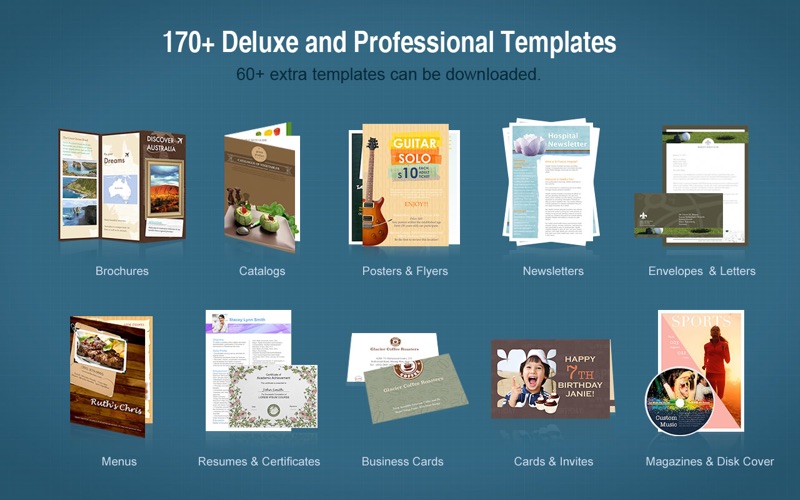
•170+ professional templates for flyers, brochures, newsletters, adverts, reports, calendars, posters, booklets, and more.
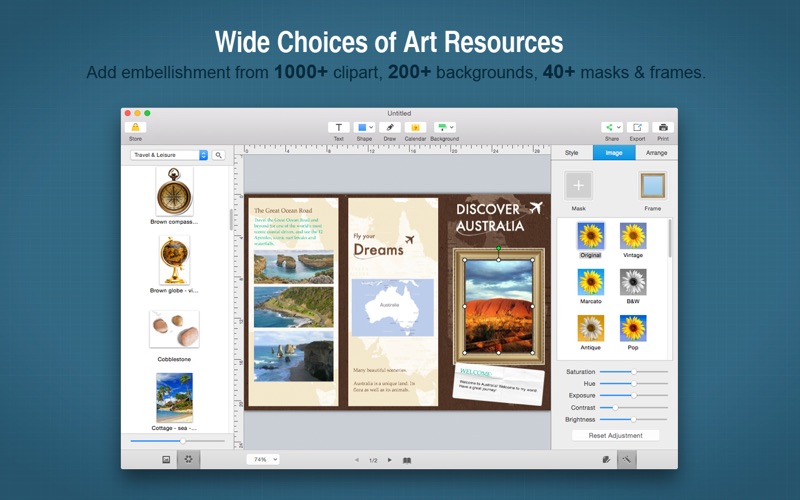
•Hundreds of delicate clipart. You can also search the web for images inside the app.
•230+ professional backgrounds.
•40+ photo frames and masks.
•Additional template packages are available in the Store for free.
Page setup
•Customize page size and orientation (landscape and portrait) of the page.
•Support customizing page margins.
•Create and edit multiple pages.
A variety of objects
•Photo objects from iPhoto or from any folder in Finder. Support almost all formats like JPG, TIFF, PNG, GIF, PDF, EPS, AI, SVG, etc.
•Apply delicate clipart to make the page looks amazing.
•Insert text object and edit the color, font, size, margin, columns, line spacing, text wrap, bullets/lists and more.
•Add various preconfigured shape objects or create custom shapes.
•Add calendar to create custom calendars.
Editing features:
•Apply any object style to other objects in just one click.
•Set up text styles for any document just once and apply them with only one click.
•Reposition & resize, rotate any object at ease.
•Personalize opacity, mirror effect & flip of the objects.
•Select 230+ preset backgrounds or customize background with your own images.
•Add color fill/pattern image fill, stroke, shadow or reflection to any object.
•Select multiple objects to align, center and make same size of the objects as a whole.
•Lock/Unlock, Group/Ungroup objects for easy operation.
•Auto snap between one object and another, and between an object and the page margin as well.
•Crop photo or manipulate the frame easily.
•Apply frames, mask, filters, etc. to photos and it is easy to adjust image colors.
•Manage layers of different objects.
•Support undo/redo, copy/paste/duplicate and other common editing features.
•Support zooming in/out on the page, and Fit Width/Fit Page to view the page.
•Support displaying rulers in the editing panel for better alignment of objects.
Export, print and share conveniently
•Print the pages directly with improved print settings like printing by Scale to paper size and Tile, etc.
•Export the pages as PDF, JPG, PNG, TIFF, BMP, and PSD.
•Share the pages via Email, Message, Airdrop, Twitter, Facebook and Flickr.
Quoi de neuf dans la dernière version ?
* Fully compatible with Sonoma.