iPhoneAddict Apps
  • Actualités
  • Accueil Apps
  • iPhone
  • iPad
  • Universelles
  • Mac
  • Apple TV
KG KultureGeek
App
iPhone / iPad Télécharger iAddict v5 Mac Télécharger iAddict Mac
  • Actualités
  • Accueil Apps
  • iPhone
  • iPad
  • Universelles
  • Mac
  • Apple TV
  • Archives keynotes
  • Firmwares & iTunes
  • Contactez-nous
  • Comparateur de prix
  • KultureGeek
Accueil » Liste des Apps » Apps Mac » Graphisme et design » Highlight Color
L'application n'est plus disponible sur l'App Store français
1.1 macOS €7,99€ Clovis Michel Pedroso Picanco 0 0 ••• 60% Off Time Limited Offer ••• Highlight Color is a great tool for everyone who likes to give stylish effects on their photos. This app uses the grayscale effect and highlight portions of the picture on its original color. The...
Highlight Color

Highlight Color

macOS / Graphisme et design

7,99€
Acheter sur l'App Store
Facebook X E-mail

••• 60% Off Time Limited Offer •••

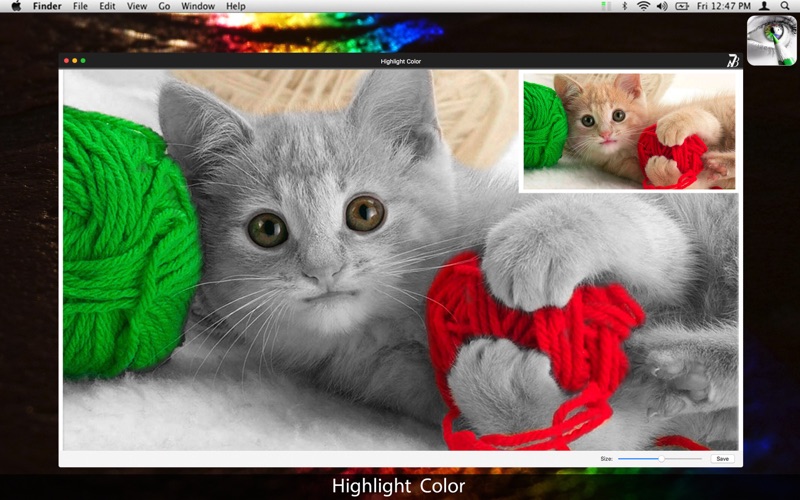
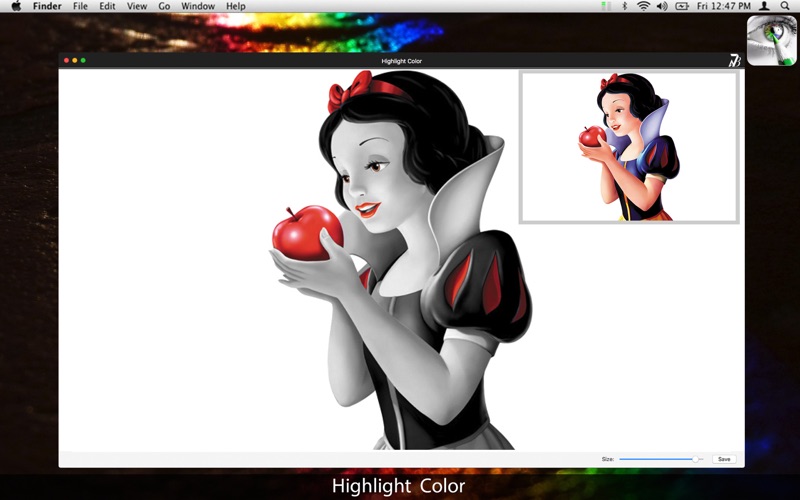
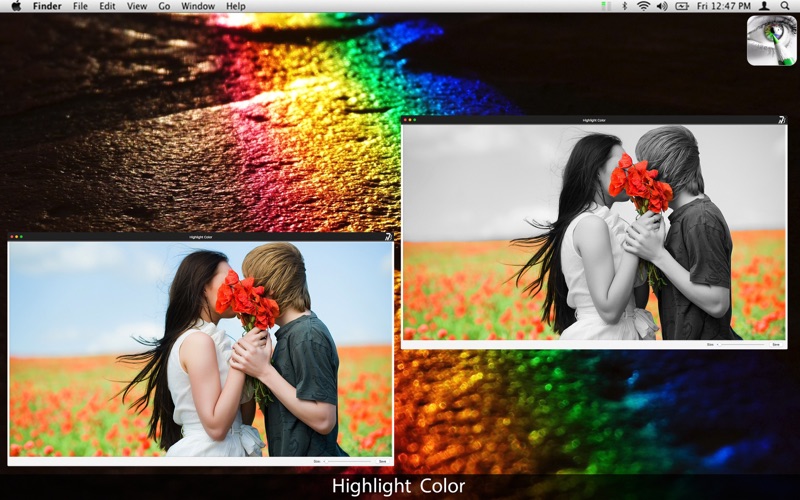
Highlight Color is a great tool for everyone who likes to give stylish effects on their photos. This app uses the grayscale effect and highlight portions of the picture on its original color.

The Highlight Color is perfect for you who want to color specific parts of pictures. It is simple and makes it easy to use, so you do not have to be an image editing expert. Add a personal touch and you won't need to waste time with complicated professional applications.

* Highlight effect: Selecting a specific spot you can highlight that place with its original picture while the rest of the picture remains in black and white.

* Export Images: Select the format you want: you can choose between PNG, JPEG, JPEG200, TIFF and BMP.

••••••••••••••••••••••••••••••••••••••••••••••••••••••••••••
Enjoy our features:
••••••••••••••••••••••••••••••••••••••••••••••••••••••••••••

• Grayscale filter on the chosen image.
• Coloring Tool.
• Brush Set.
• Option to change the size range to save the image.
• Zoom.
• Export to PNG, JPEG, BMP and TIFF.

••••••••••••••••••••••••••••••••••••••••••••••••••••••••••••
How to use:
••••••••••••••••••••••••••••••••••••••••••••••••••••••••••••

1. To load an image, go to File > Open.
2. Select the image and open the application.
3. Use the 'size' bar to set the brush size to color.
4. Edit the parts you want.
5. Use the SAVE tool next to the brush adjustment bar to save the image.
6. Select the picture format and the desired size.
7. Save.

••••••••••••••••••••••••••••••••••••••••••••••••••••••••••••
If you need help?
••••••••••••••••••••••••••••••••••••••••••••••••••••••••••••

Do you need any help? If you have any doubt or trouble with our products and company, like to make a suggestion or submit a request for a new feature, you can use the following tools:

Go to our website: ••• bravecloud.org
There you can find:

• Frequently Asked Questions
• List of applications
• Tutorials

and more…

You can also send an email to: ••• support@bravecloud.org

We’ll respond as soon as we can. Your contact is very important and with it we can constantly improve our apps.

En voir plus...

Quoi de neuf dans la dernière version ?

* Minor improvements.
  • Screenshot #1 pour Highlight Color
  • Screenshot #2 pour Highlight Color
  • Screenshot #3 pour Highlight Color

D'autres applications du développeur

Convert All ImagesConvert All ImagesmacOSPhoto Text Editor - Add EffectPhoto Text Editor - Add EffectmacOSGif Separate - Sprite SheetsGif Separate - Sprite SheetsmacOSWings and Light Rays - PackWings and Light Rays - PackiOS Universel

Note

(0 note)

Détails sur l'application

Version
1.1
Taille
10 Mo
Version minimum de macOS
10.10
Dernière mise à jour
27/09/2016
Publié par
Clovis Michel Pedroso Picanco

Newsletter App Store

Recevez chaque jour les meilleures promos

Actualité Apple

Image Beats 360, le prochain casque d’Apple, fuite avec ses caractéristiques
Beats 360, le prochain casque d’Apple, fuite avec ses caractéristiques
Image Bad Monkey saison 2 : Vince Vaughn revient sur Apple TV le 2 décembre et John Malkovich s’invite au casting
Bad Monkey saison 2 : Vince Vaughn revient sur Apple TV le 2 décembre et John Malkovich s’invite au casting
Image Il fait fonctionner une imprimante HP sur Mac avec un pilote créé via l’IA Claude
Il fait fonctionner une imprimante HP sur Mac avec un pilote créé via l’IA Claude
Image Les coques pour iPhone 17 Pro sont compatibles avec l’iPhone 18 Pro selon deux accessoiristes
Les coques pour iPhone 17 Pro sont compatibles avec l’iPhone 18 Pro selon deux accessoiristes
iPhoneAddict Apps

Le catalogue iPhoneAddict pour suivre les nouveautés, mises à jour et baisses de prix de l’App Store.

Apps

Toutes les apps iOS iPhone iPad Universelles Mac Apple TV

iPhoneAddict

Actualité Apple Archives keynotes Contact À propos KultureGeek

Suivez-nous

©2009-2026 i2CMedia. Tous droits réservés.