Batch TIFF & PDF Converter
macOS / Economie et entreprise
An all‑in‑one toolkit for managing TIFF and PDF files.
Designed for professionals in legal, architectural, administrative, and accounting fields, it provides powerful tools to edit, merge, convert, and optimize documents with ease.
PDF Optimizer
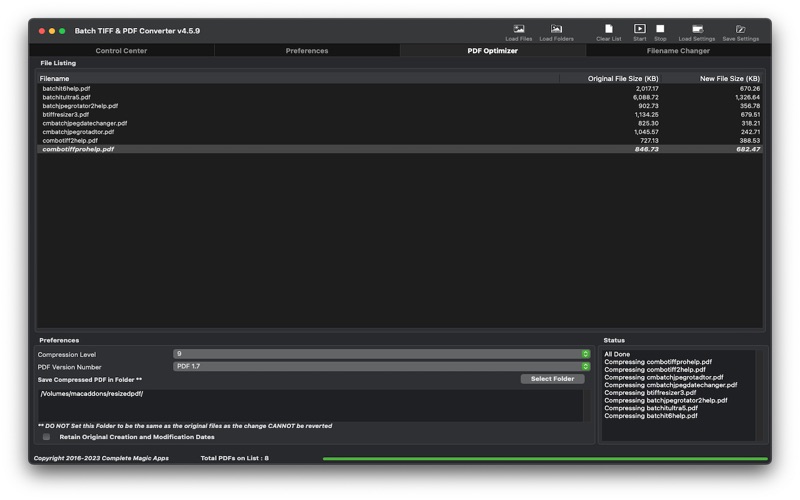
* Included as a dedicated app‑in‑app, the PDF Optimizer compresses files by streamlining their contents — often reducing size by up to 80% without sacrificing quality.
Key Features
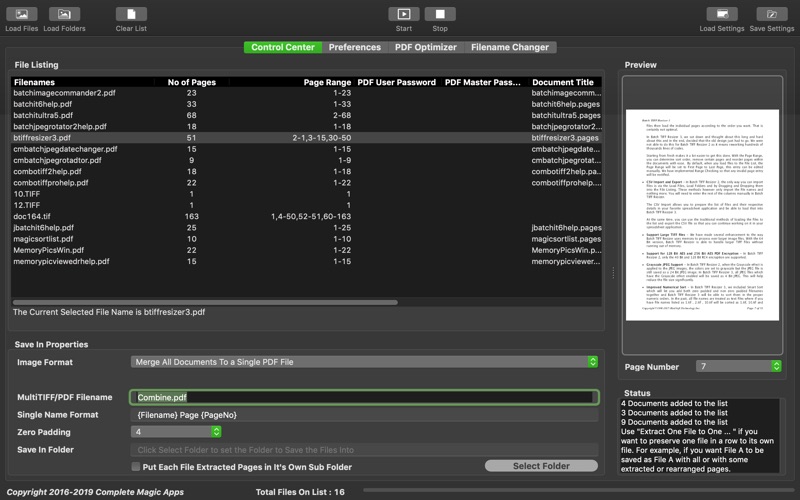
* File Handling: Open and save single‑page TIFF, multi‑page TIFF, and PDF files.
* Merging: Combine multiple files into a single multi‑page TIFF or PDF; supports fast PDF merging.
* Compression: Shrink PDFs with the built‑in optimizer.
* Page Extraction: Export pages from TIFF/PDF into TIFF, PDF, HEIC, PNG, or JPG.
* Smart Extraction: Save pages in different formats depending on whether they are color or monochrome.
* Text Extraction: Pull text directly from PDFs.
* Organized Output: Group extracted pages into dedicated folders.
* Page Management: Rearrange, insert, or remove pages using ranges or manual selection.
* Security: Add or remove password protection (requires master password); supports multiple password options including per‑file entry.
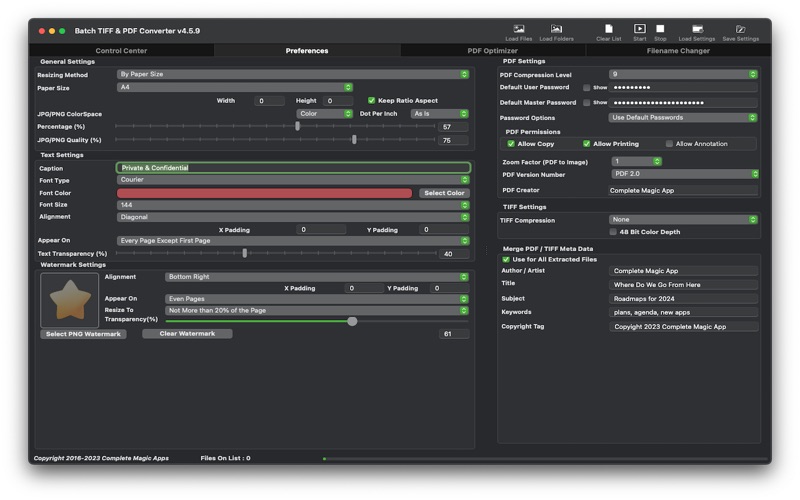
* Resizing: Downsize pages by pixels, percentages, ratios, or paper size.
* Annotations: Add transparent text captions (e.g., copyright tags) or PNG watermarks with fine‑tuned alignment.
* Metadata Preservation: Retain headers and EXIF data such as author, title, subject, and keywords.
* Batch Renaming: Rename files in bulk.
* Bates Numbering: Apply professional numbering with padding to avoid overlapping text.
* Automation: Convert PDFs to TIFF automatically.
* Page Count Audit : Generate a CSV document with key information such as file name, file size, number of pages, number of color and monochrome pages
TIFF‑Specific Options
* Choose compression methods: None, Packbits, LZW, CCITT G3/G4, JPEG, Deflate, CCITT RLE.
* Output up to 48‑bit color depth.
PDF‑Specific Options
* Configure compression filters and levels.
* Set user and master passwords (master overrides restrictions).
* Assign unique passwords per file.
* Edit metadata (author, title, subject, keywords).
* Control permissions (copying, printing).
* Flexible PDF merging: batch merge all files or merge in defined groups.
Profiles for Flexibility
* Create and save multiple settings profiles tailored to different workflows or client requirements. Reload them instantly whenever needed.
Quoi de neuf dans la dernière version ?
* Updated Underlying Framework