4Ktube Extension
macOS / Divertissement
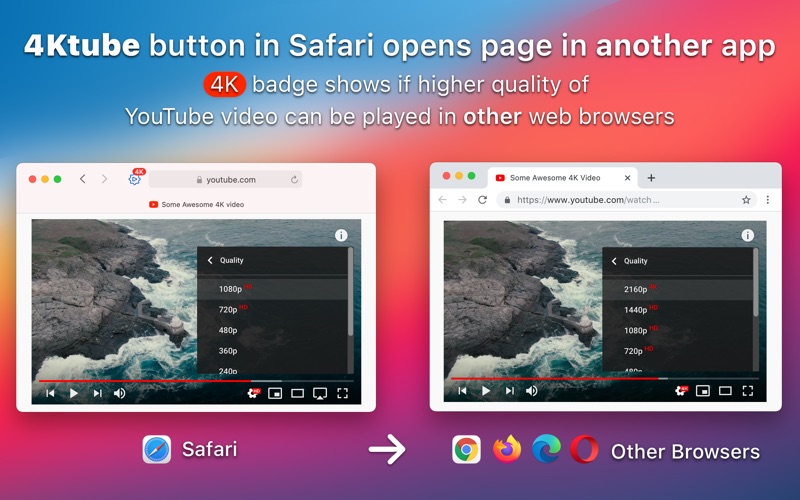
Open any page in another browser right from Safari’s toolbar. Click the 4Ktube toolbar button to switch to Google Chrome, Mozilla Firefox, Microsoft Edge, Opera, or another app.
4Ktube extension also shows a 4K badge in the toolbar if a YouTube video you’re watching offers quality higher than 1080p.
To skip a video ad that’s playing hold the Fn key and click the toolbar button.
How to Use 4Ktube:
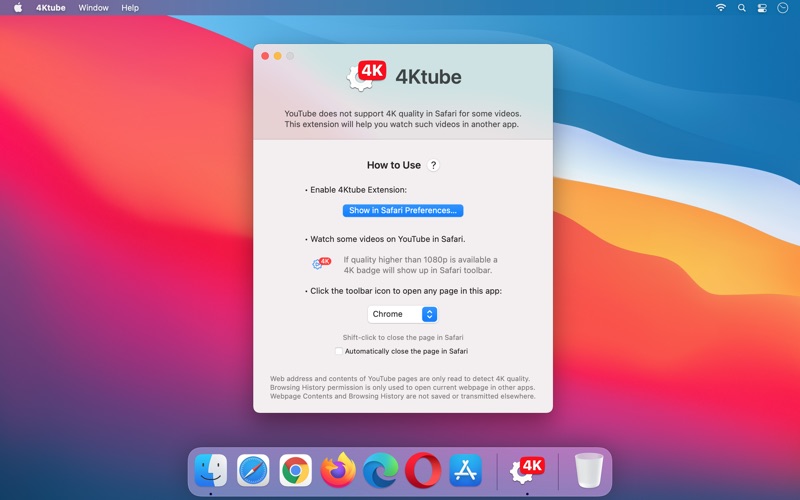
• Download and open 4Ktube app.
• Click “Show in Safari Settings” button.
• Enable “4Ktube” extension in Safari Extension Settings.
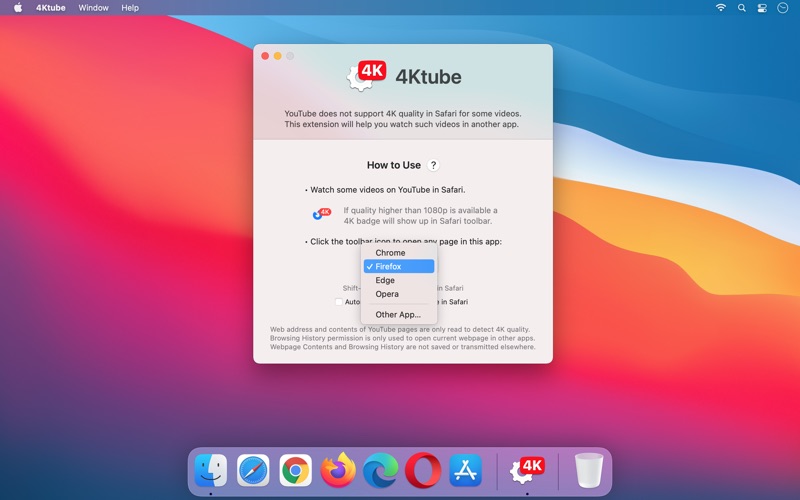
• Select which browser you’d like to open links in:
Chrome, Firefox, Edge, Opera or any other app that can handle it.
Click the toolbar icon to open the current page in your chosen browser. Shift-click to also close the page in Safari when you open it elsewhere. This can be set as the default behavior in the app settings. Option-click the toolbar button to open 4Ktube Settings.
Quoi de neuf dans la dernière version ?
Updated for macOS Tahoe and Liquid Glass