iPhoneAddict Apps
  • Actualités
  • Accueil Apps
  • iPhone
  • iPad
  • Universelles
  • Mac
  • Apple TV
KG KultureGeek
App
iPhone / iPad Télécharger iAddict v5 Mac Télécharger iAddict Mac
  • Actualités
  • Accueil Apps
  • iPhone
  • iPad
  • Universelles
  • Mac
  • Apple TV
  • Archives keynotes
  • Firmwares & iTunes
  • Contactez-nous
  • Comparateur de prix
  • KultureGeek
Accueil » Liste des Apps » Apps Mac » developpeurs » TextJungler
L'application n'est plus disponible sur l'App Store français
1.4.6 macOS €Gratuit Tomoyuki Okawa 0 0 TextJungler is a text editor that is built especially for software developers who need to use the Find & Replace function in working with lines of code. Make a selection of text, which you can enclose with HTML tags, Objective-C or Swift code. Make...
TextJungler

TextJungler

macOS / developpeurs

Gratuit
Obtenir sur l'App Store
Facebook X E-mail

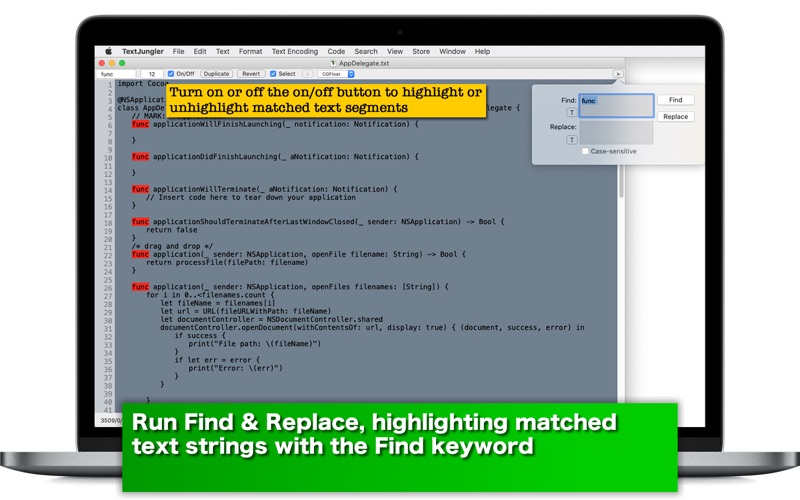
TextJungler is a text editor that is built especially for software developers who need to use the Find & Replace function in working with lines of code. Make a selection of text, which you can enclose with HTML tags, Objective-C or Swift code. Make no text selection so that you can insert HTML tags, lines of Objective-C or Swift code at the current cursor position.


- Features -

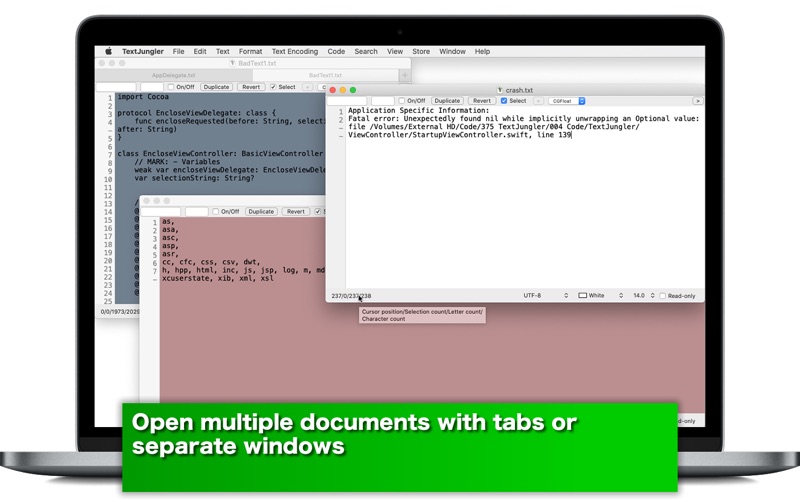
1. Create blank documents with tabs or separate windows.
2. Open existing documents (.csv, .rtf, .swift, .text, .txt, .xml…)
3. Select the default font of your choice to read data.
4. Select the default font size of your choice or change the font size temporary to read document data.
5. Select the default content background color of your choice.
6. Open a Rich Text Format (.rtf) document as plain text document. Or turn a RTF document into a text document.
7. Select text encodings. The default text encoding is UTF-8.
8. Turn on/off the read-only checkbox button to protect or not protect the document content.
9. Highlight matched text strings with a color of your selection. Highlight or unlight them with clicking on a checkbox button.
10. Make a selection of text, which can be saved as a keyword. Insert the keyword you select with a drop-down menu to your document.
11. TextJungler supports the full undo/redo stack.
12. Enclose a selection of text with HTML tags, Objective-C code or Swift code.
13. Insert lines of HTML, Objective-C or Swift code to your document where there is no text selection.
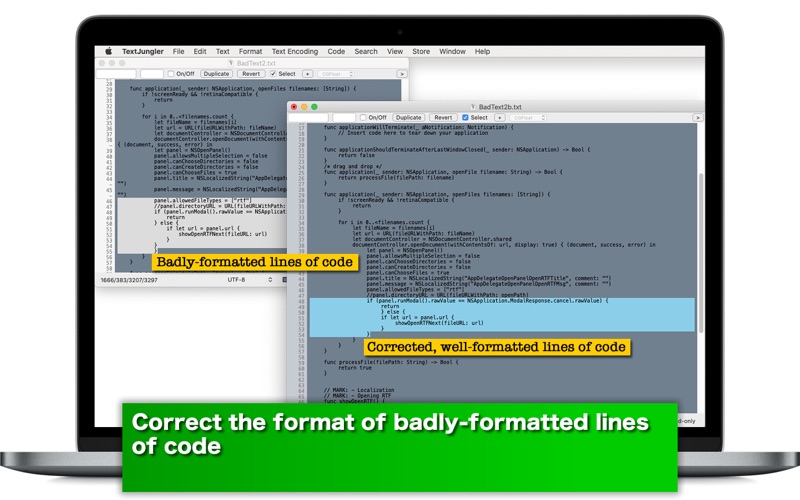
14. Fix badly-formated lines of code. Select an indent type.
15. Revert to the original state with a click of a button when you open an existing document file.
16. Save the current window size. Ignore or not ignore saved window size.
17. Languages: English only.
18. Application file size: 34.5 MB.
19. The application comes with Help Desk, which you can access by choosing TextJungler Help under Help.


- System requirements -

1. 10.13 (tested with 10.13.6), 10.14 (tested with 10.14.6), 10.15 (tested with 10.15.1, 10.15.3 Beta)
2. 64-bit system


- Limitations -

1. The application is free to use without limitations for one week. After one week, it will validate user’s in-app purchase status. They can still use it without limitations after a wait period of 30 seconds until you quit the application.
2. The user can format software code if the language uses curly brackets to open and close blocks.

En voir plus...

Quoi de neuf dans la dernière version ?

1. The application will now run with a processor that has an Apple silicon (M1, M2...).
  • Screenshot #1 pour TextJungler
  • Screenshot #2 pour TextJungler
  • Screenshot #3 pour TextJungler

D'autres applications du développeur

aClocks - International ClocksaClocks - International ClocksiPhoneaClocks DesktopaClocks DesktopmacOSaClocks Premium Analog ClocksaClocks Premium Analog ClocksiPhoneAllNews - Scrolling multiple RSS feedsAllNews - Scrolling multiple RSS feedsiOS UniverselAnimal Me - Make Your Selfie an AnimalAnimal Me - Make Your Selfie an AnimaliPhoneMasked Man Or Woman - Wear a Mask on Your SelfieMasked Man Or Woman - Wear a Mask on Your SelfieiPhoneVoir toutes les apps

Note

(0 note)

Détails sur l'application

Version
1.4.6
Taille
17.9 Mo
Version minimum de macOS
11.0
Dernière mise à jour
03/12/2024
Publié par
Tomoyuki Okawa

Newsletter App Store

Recevez chaque jour les meilleures promos

Actualité Apple

Image Les États-Unis ne veulent pas qu’Apple achète de la RAM chinoise
Les États-Unis ne veulent pas qu’Apple achète de la RAM chinoise
Image Apple retire sa pub polémique avec un enfant et un iPhone en Italie
Apple retire sa pub polémique avec un enfant et un iPhone en Italie
Image L’iPhone Ultra pliable va-t-il résoudre les défauts du Galaxy Z Fold 8 ?
L’iPhone Ultra pliable va-t-il résoudre les défauts du Galaxy Z Fold 8 ?
Image Mac : des hackers exploitent la faille du partage d’écran avec un mineur de cryptomonnaie
Mac : des hackers exploitent la faille du partage d’écran avec un mineur de cryptomonnaie
iPhoneAddict Apps

Le catalogue iPhoneAddict pour suivre les nouveautés, mises à jour et baisses de prix de l’App Store.

Apps

Toutes les apps iOS iPhone iPad Universelles Mac Apple TV

iPhoneAddict

Actualité Apple Archives keynotes Contact À propos KultureGeek

Suivez-nous

©2009-2026 i2CMedia. Tous droits réservés.