Iconizer - Icon Generator
macOS / developpeurs
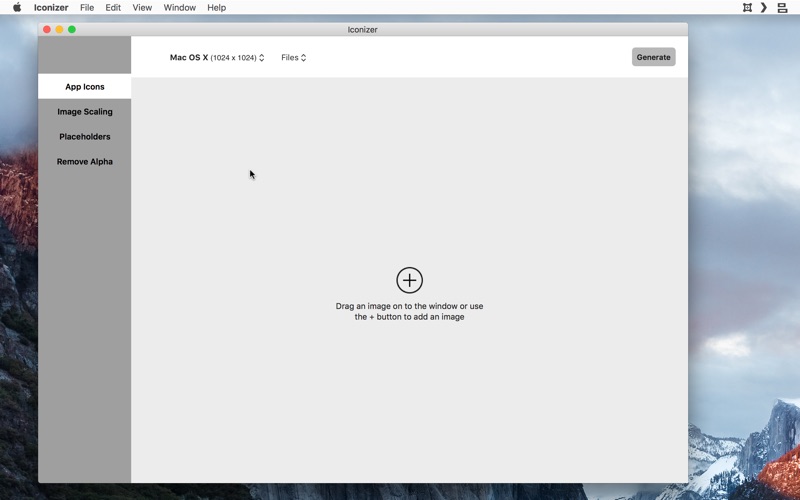
Iconizer is an app developed by a developer for developers.
As a developer for the Apple platform you frequently have to create application icons of various sizes. Personally, this is something I hate doing since sometimes, to get an icon right, you have to create the same set of icons over and over again so that you can test the icons in your app to make sure that it looks just right.
Iconizer aims to reduce this workload for you in several ways:
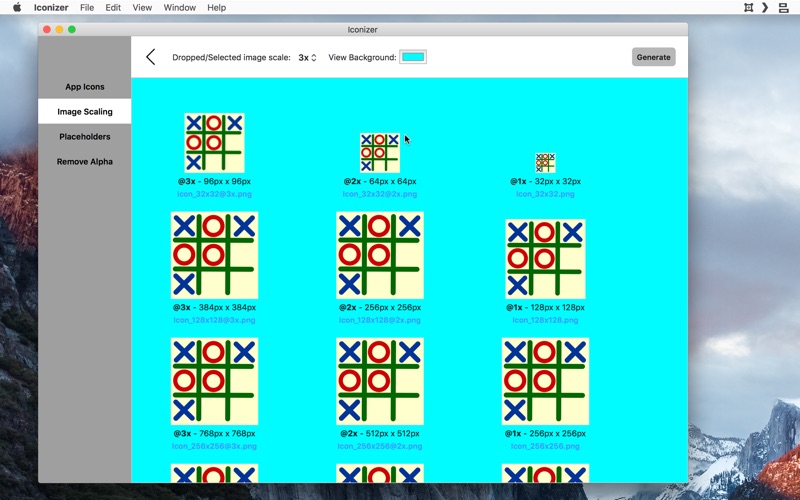
1. Iconizer allows you to load your icon into Iconizer and check it against various background colours in Iconizer itself, without needing to create various icon sizes, add it to your project, compile the project, and then run the app to see how the icons look.
2. Iconizer displays these images at all the different sizes required by each platform it supports (Mac OS X, iOS, watchOS, tvOS) and so, you can see how all your icons look at all the different sizes for each platform.
3. Iconizer will generate all the images at the correct sizes for each platform at the press of a single button - you don't have to do anything except to drag and drop the icon in, select the platform and the location to save the images to.
4. Iconizer will also create Xcode asset catalog specific image bundles so that you don't even need to copy the individual images into your asset catalog - you can simply create the icons in the Xcode project folder itself so that all you have to do is open you Xcode project and find the images in your project, ready for use.
If the above wasn't enough, Iconizer also allows you to create quick custom placeholder icons. If your designer is busy, or you simply want a quick app icon to put in place till you get your finished artwork, Iconizer can help you with that. In fact, Iconizer lets you specify a background colour, a text colour, and some text of your choice to go on the placeholder icons.
Iconizer will also help you take images for a given scale (@3x would be the best) and to scale it up or down to create additional images to create all the different image for the different scales required by your project. Again, all of this as simple as dragging and dropping the images in and clicking a button.
And to round things out, you can also batch process images via Iconizer to reomve transparency / alpha. This is especially useful when uploading images to iTunes Connect because it often asks that the images not contain transparency. While it is easy enough to use something like Preview to re-save the image without transparency, it is time consuming since you have to do that for each image separately. Iconizer allows you to save a bunch of images at once without transparency simply by dragging and dropping the images on to the Iconizer window and then clicking a button.
Iconizer has been written in such a way that new image formats and requirements can be added in quickly and easily by us. So, any time the image requirements change due to the addition of a new platform or new requirements by Apple, we plan to release a new version that meets the new requirements within a few days. So, Iconizer should be there to meet your image generation requirements today and in the future.
If you have any additional requirements or feature requests, do contact us and let us know. We are eager to improve Iconizer to be the best image generator out there!
Quoi de neuf dans la dernière version ?
* Updated for latest Xcode, macOS and also updated the required icon configurations for latest updates