iPhoneAddict Apps
  • Actualités
  • Accueil Apps
  • iPhone
  • iPad
  • Universelles
  • Mac
  • Apple TV
KG KultureGeek
App
iPhone / iPad Télécharger iAddict v5 Mac Télécharger iAddict Mac
  • Actualités
  • Accueil Apps
  • iPhone
  • iPad
  • Universelles
  • Mac
  • Apple TV
  • Archives keynotes
  • Firmwares & iTunes
  • Contactez-nous
  • Comparateur de prix
  • KultureGeek
Accueil » Liste des Apps » Apps Mac » developpeurs » Drop - Color Picker
L'application n'est plus disponible sur l'App Store français
1.6.4 macOS €5,99€ Christain Billings 0 0 Drop is a delightful little color picker for developers and designers. Pick a color and it will be copied in your preferred format. It's that easy. > Zooming Picker Picking a one pixel border? No worries! You can freely zoom the picker in and out...
Drop - Color Picker

Drop - Color Picker

macOS / developpeurs

5,99€
Acheter sur l'App Store
Facebook X E-mail

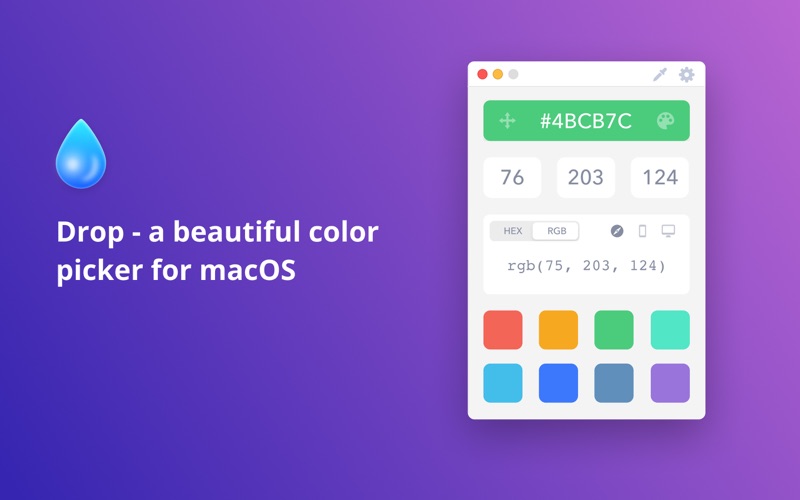
Drop is a delightful little color picker for developers and designers.

Pick a color and it will be copied in your preferred format. It's that easy.

> Zooming Picker
Picking a one pixel border? No worries! You can freely zoom the picker in and out with your scroll wheel or trackpad.

> Accurate
Most color pickers (including Apple's) don't pick the exact color value because of reasons that we have to understand but you don't. Drop lets you pick the exact color by switching the color profile associated with the app you are picking from.

> Dark Mode
For all those fans of the dark side, we got you covered.

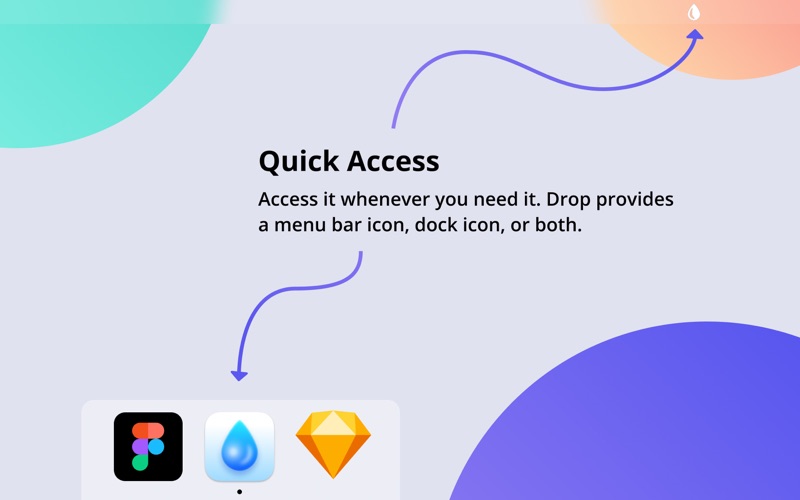
> Dock, Menu Bar, or Both
Some like their apps running in their dock, some like to run them in their menu bar. We got both covered. Right click the menu bar icon anytime to bring up the app.

> Touch Bar
That's right, get quick access to all your colors right from your fancy new Touch Bar. It's the most convenient way to have quick access to your colors. Ever.

> Just the formats you use
Quickly switch between the common formats you are actually going to need your colors copied into: HEX, RGB, Swift UIColor, Swift NSColor, Objective-C UIColor, and Objective-C NSColor.

> Palette
Save colors for later in your color palette.

> Delight
This app was built with more TLC than you can even imagine. It's those little details that make all the difference.

En voir plus...

Quoi de neuf dans la dernière version ?

- Fixed a bug that caused the color fields to not update simultaneously.
- Fixed a bug that caused tabbing issues.
- Fixed a few bugs that allowed unwanted characters to be entered into fields.
  • Screenshot #1 pour Drop - Color Picker
  • Screenshot #2 pour Drop - Color Picker
  • Screenshot #3 pour Drop - Color Picker

Note

(0 note)

Détails sur l'application

Version
1.6.4
Taille
6.6 Mo
Version minimum de macOS
10.11
Dernière mise à jour
18/01/2021
Publié par
Christain Billings

Newsletter App Store

Recevez chaque jour les meilleures promos

Actualité Apple

Image Apple Watch Series 12 : le retour du modèle céramique se confirme
Apple Watch Series 12 : le retour du modèle céramique se confirme
Image Meta AI a maintenant son application dédiée sur Mac pour l’IA
Meta AI a maintenant son application dédiée sur Mac pour l’IA
Image Beats 360, le prochain casque d’Apple, fuite avec ses caractéristiques
Beats 360, le prochain casque d’Apple, fuite avec ses caractéristiques
Image Bad Monkey saison 2 : Vince Vaughn revient sur Apple TV le 2 décembre et John Malkovich s’invite au casting
Bad Monkey saison 2 : Vince Vaughn revient sur Apple TV le 2 décembre et John Malkovich s’invite au casting
iPhoneAddict Apps

Le catalogue iPhoneAddict pour suivre les nouveautés, mises à jour et baisses de prix de l’App Store.

Apps

Toutes les apps iOS iPhone iPad Universelles Mac Apple TV

iPhoneAddict

Actualité Apple Archives keynotes Contact À propos KultureGeek

Suivez-nous

©2009-2026 i2CMedia. Tous droits réservés.