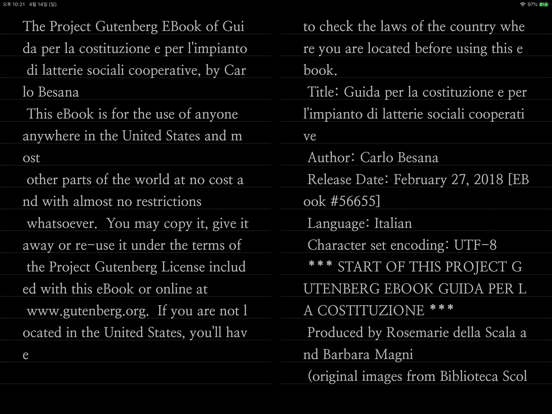
Text Viewer - txt file viewer
iOS Universel / Livres
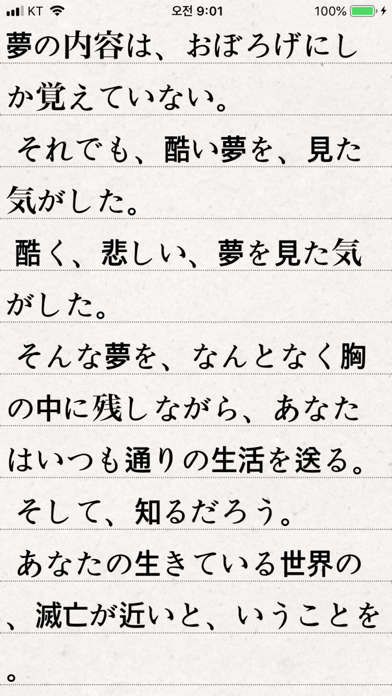
Simple text based novel viewer app that can view text file on your smart devices.
Now, you can read E-book of text-based novel
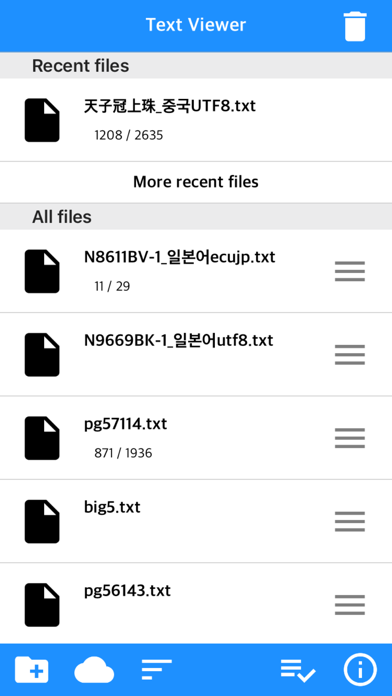
You can directly transfer text file from PC to App under identical Wi-Fi connection.
If you are using iCloud app, the text file uploaded to iCloud can be imported into this App.
It supports FTP and iTunes.
Pages can be switched using tapping, left-right/up-down dragging, or scrolling.
Each switching gesture feature can be turned on and off in the settings.
It supports automatic scrolling (in-app purchase required).
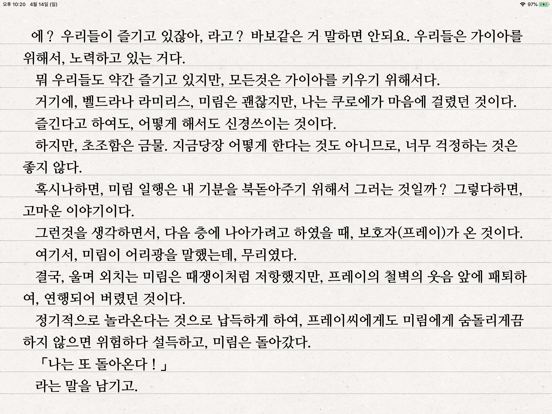
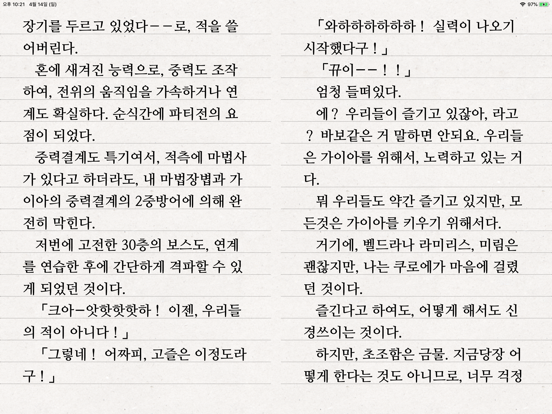
It is compatible with iPhone and iPad, and it can customize view mode as horizontal or vertical in the setting.
In addition, it supports various features such as cutting file, and changing font, color, and brightness.
Text viewer app is designed for viewing text-based novels (books) easily.
It is being continuously improved for facilitation.
If you have any questions or suggestions after installing app, please send an email to junhuloveapple@gmail.com, or click ‘send an email’ button located at the top right of your app's settings screen.
We will try to response and update quickly.
(It may take a day or so to answer if you ask using the comment system of Apple. If you need immediate response, please email us.)
** FEATURES **
- txt file extension
- UTF-8 and multilanguage encodings
- Writing direction: Function for languages that are read in the left direction (iOS 14+)
- Enables to upload using PC web browser with Wi-Fi
- File import from cloud apps such as iCloud, Dropbox, OneDrive, Mega, and Box etc.
- FTP: search, download
- SSHFTP
- Secure FTP not supported
- Enables to upload file using iTunes file sharing
- File copy in the cloud app or mail attachment
- Enables to set text size, space, and thickness
- Adds page transition animation effects
- Locks app and file
- phone/tablet
- Choose font types
- Adjust screen brightness
- Upload and search the compressed file including text file
- Cut file feature: split file over 2MB into files of fixed size
- Left / Right margin settings
- Background / text color settings
- Horizontal and vertical rotation for phone / tablet
- iPad multitasking screen support
- Create / delete / rename of folder
- Move / copy / delete of file
- Select multiple files
- Move the pages by tapping and left-right/up-down dragging
- Search and view the text file from compressed file
- Align text (left, right, center)
- Search
- Bookmark
- Insert / delete a blank line
- Turn off screen option: Automatically turn off screen at designated time when activated
- Start view from the last viewed
- Vertical scroll feature: User can scroll down the viewport
- Next book auto-switching options: If you automatically change the next book switching option in Settings, tabs on the last page will automatically switch to the next book.
- Automatic scroll feature (text file): Enable to scroll down automatically / Enable to set scroll down time from 1 second (fast) to 30 second (slow). (In-app purchase required)
- Bluetooth keyboard: Supports page switching and screen closing function, direction key (asdw) page switch, ESC key viewer screen close (In-app purchase required)
- "Two-page view" support in pad: left-right, right-left page direction also selectable, please adjust page interval to "left and right margin" value. (In-app purchase required, pad only)
- Blink: Recognizes eye blinks to switch pages (iPhone only, iOS 18+, in-app purchase required)
** To import file from cloud, you need to install and login the cloud app.
** For the “file share” of iTunes and the “app file share” of ifunbox, the file should be uploaded using Text Viewer.
** Advertising: Text Viewer includes banner ad. When you watch the video advertising (less than 1-minute length), you can use ad-free Text Viewer for 24 hours per every day; or you can use permanent ad-free Text Viewer by in-app purchase.
Quoi de neuf dans la dernière version ?
- Support for password-locked compressed files (zip, rar, 7z)
- Fixed main screen color change error
- Fixed reported crashes