Cleave for EPUB
iOS Universel / Livres
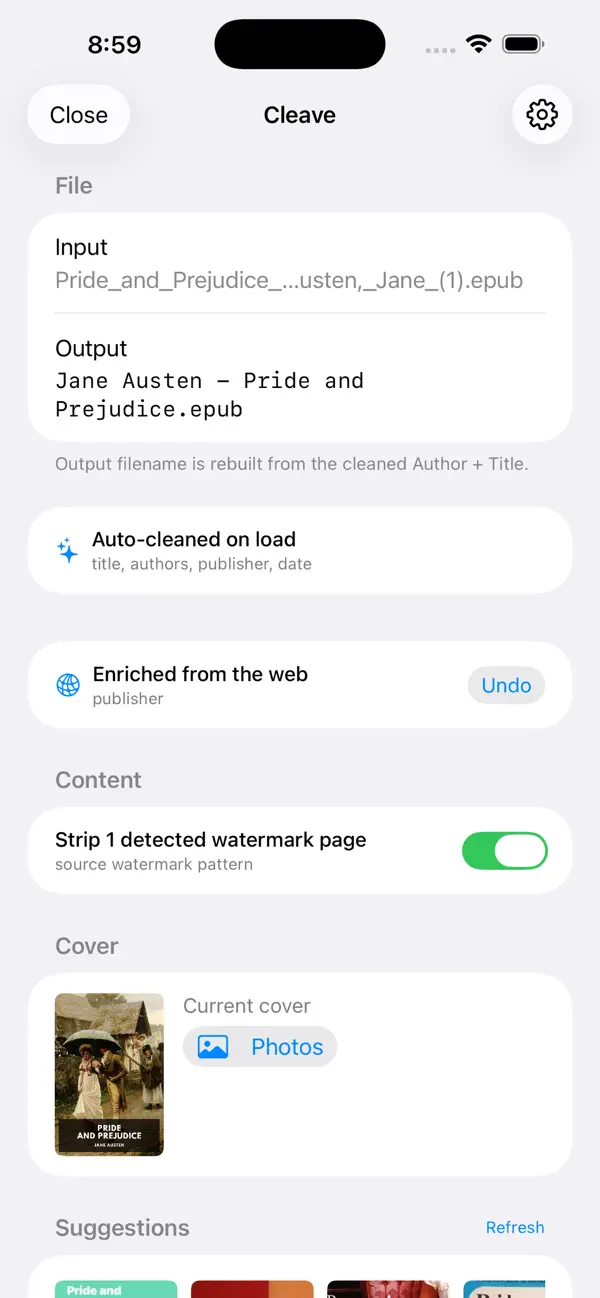
Cleave is an on-device EPUB metadata editor for iPhone and iPad. Drop a book in, and it cleans up the messy title, author, and publisher fields in seconds — no account, no uploads, no tracking.
Designed for readers who sideload books onto a Kindle, a Boox, a Palma, a Kobo, or into KOReader and Calibre. If you've ever had a library full of files named "The_Book_(z-lib.org)_(1).epub" with
title "The Book (z-lib.org) - Copy", Cleave fixes them.
FEATURES
• Auto-clean on load
Strips source-site watermarks from title, author, and publisher. Normalizes author-name order ("Austen, Jane" → "Jane Austen" or vice versa). Cleans file junk like "(1)", " - copy", " final". All
rules are configurable.
• Web enrichment
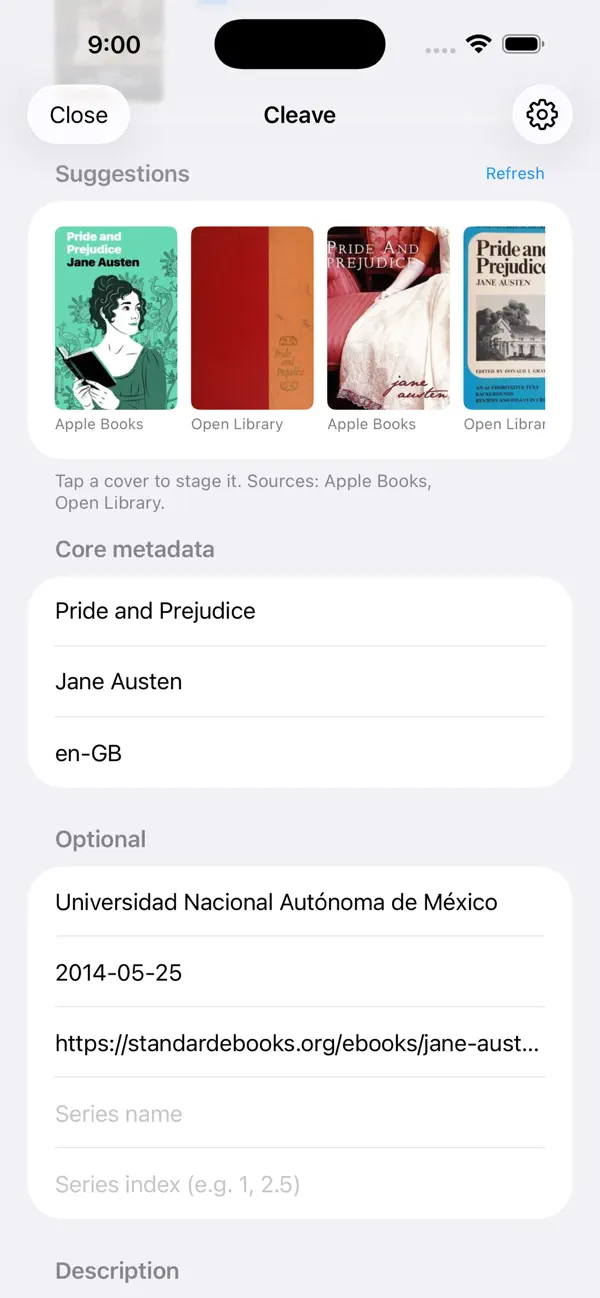
Fills missing description, publisher, date, ISBN, series, and subjects from Apple Books, Open Library, and optionally Google Books. Anonymous queries — no account, no identifier sent.
• Cover picker
Fetches candidate covers from Apple Books and Open Library in one tap. Pick one, revert anytime, or use your own image from Photos.
• Source-watermark page stripping
Detects and removes the one-page "downloaded from" ad pages that some redistributors inject.
• Rename by template
Rebuild filenames from {author}, {title}, {series}, {seriesIndex}, {year}. Presets: Default, Calibre, Year-suffix, Series-first, Title-only.
• Directory structure
Save directly into a Calibre-style Author/ subfolder if your reader expects it.
• Share sheet integration
Share any EPUB from Files, Safari, Mail, or another app — Cleave picks it up, cleans it, and hands it back for saving.
• Batch support
Drop a bunch of files at once. Cleave walks you through them one by one with a running counter.
PRIVACY
Cleave does not collect any personal data. There is no account, no backend, no analytics, and no advertising SDK. The only network requests are anonymous metadata/cover queries to three public APIs
(Apple Books, Open Library, Google Books) — none of which receive any user identifier.
File processing happens entirely on your device. Your books never leave your iPhone or iPad.
For power users: a diagnostics screen shows the share-extension log, the App Group inbox, and all settings. Everything is editable.
SUPPORT
Questions, bug reports, feature requests: cleave-whidbey.vercel.app/support
Privacy policy: cleave-whidbey.vercel.app/privacy
Cleave is designed by a small team who sideload books every week. If it saves you ten minutes a month, it's doing its job.