The Hue vault
iOS Universel / Graphisme et design
Hue Vault is the most color-correct color toolkit on iOS — a precision instrument for designers, developers, illustrators, and accessibility pros. A one-time purchase. No subscription, no account, no tracking. Everything runs on your device.
CAPTURE COLOR FROM ANYWHERE
Read exact colors from the world with a live camera loupe, or pull a clean dominant-color palette out of any photo.
TURN ONE COLOR INTO A DESIGN SYSTEM
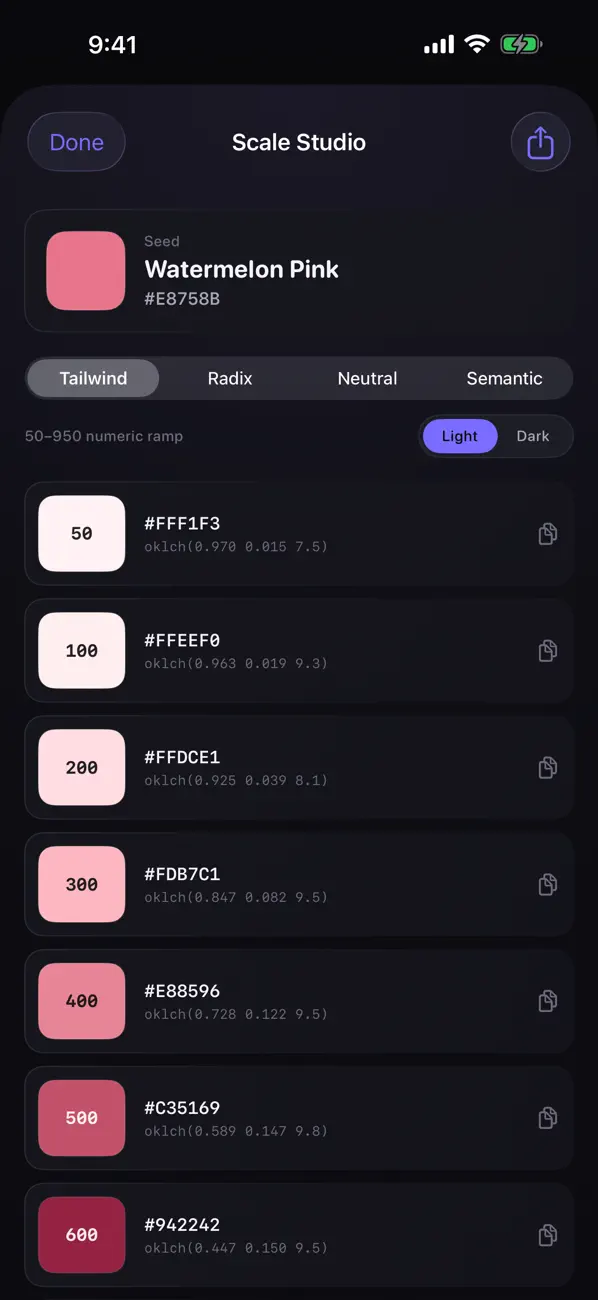
Drop in a brand color and Hue Vault generates a complete, production-ready system: a Tailwind 50–950 ramp, a Radix-style 12-step scale with real roles (backgrounds, components, borders, solids, text), a neutral ramp tuned to your hue, and semantic success/warning/error/info colors — in light and dark. Text steps are tuned to genuine contrast targets, so they pass for real.
BUILT ON A PERCEPTUAL ENGINE
Harmonies, tints, shades, gradients, and scales are computed in OKLCH/OKLab — the perceptually-uniform color space behind CSS Color 4 and Tailwind v4. Results are tonally even and gamut-mapped, never the muddy or clipped colors you get from old HSL math.
A REAL ACCESSIBILITY LAB
• N×N contrast grid for the whole palette — WCAG 2.2 ratio and APCA Lc (the draft WCAG 3 readability metric) side by side
• Color-vision-deficiency simulation (protan/deutan/tritan + anomalies + achromatopsia) with a severity slider, using the Machado model
• Automatic flagging of color pairs that collide for color-blind users
• One-tap Fix Contrast that nudges a color until the pair passes
GRADIENT & MESH STUDIO
Perceptually-smooth gradients interpolated in OKLab, plus mesh gradients on iOS 18. Export as SwiftUI, CSS (oklab), or a wallpaper image.
LIGHT → SHADOW SHADING RAMPS
Temperature-shifted ramps (warm highlights, cool shadows) for illustration and 3D, with a live shaded preview.
EXPORTS YOUR TOOLS ACTUALLY USE
W3C Design Tokens (DTCG), SwiftUI color sets with dark + Display-P3, CSS custom properties with oklch() and P3, Tailwind config, Material colors.xml, Android XML, SVG, and plain hex.
A LIBRARY YOU OWN
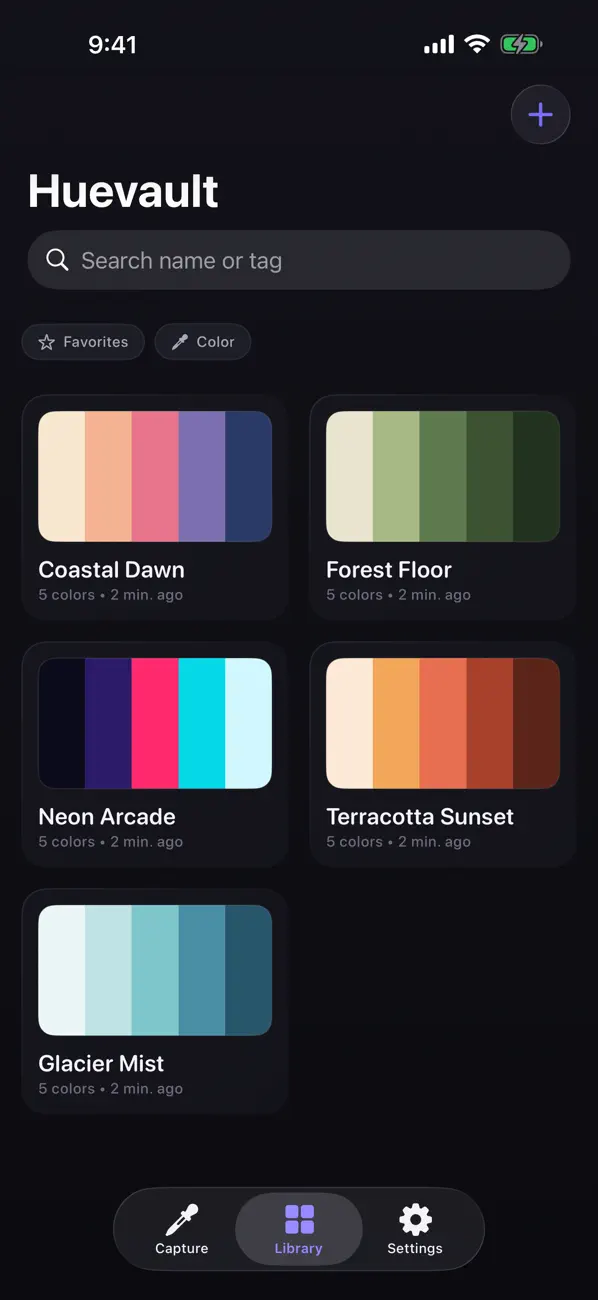
Save unlimited palettes, organize with tags and favorites, and search your library by color. Drag swatches straight into Procreate, Figma, or Notes. Run it from Shortcuts and Spotlight with built-in App Intents.
No subscription. No sign-in. No analytics. Buy it once, and it’s yours.
Quoi de neuf dans la dernière version ?
Hue Vault 2.0 is a complete pro upgrade — and a one-time purchase, no subscription.
DESIGN-SYSTEM GENERATOR
Turn any color into a full, production-ready scale: a Tailwind 50–950 ramp and a Radix-style 12-step scale with proper roles (backgrounds, borders, solids, text), a matching neutral ramp, and semantic success/warning/error/info colors — in light and dark. The text steps are tuned to real contrast targets so they actually pass.
A PERCEPTUAL ENGINE
Harmonies, tints, shades, and scales are now generated in OKLCH (the perceptually-uniform space behind CSS Color 4 and Tailwind v4), so every result is tonally even and never clips out of gamut.
ACCESSIBILITY LAB
See an N×N contrast grid for your whole palette with both WCAG 2.2 ratios and APCA Lc readability, simulate eight kinds of color-vision deficiency with a severity slider, get flagged on color pairs that collide for color-blind users, and fix any failing pair with one tap.
GRADIENT & MESH STUDIO
Build perceptually-smooth gradients interpolated in OKLab (no muddy middles), plus mesh gradients on iOS 18 — export as SwiftUI, CSS, or a wallpaper.
LIGHT → SHADOW RAMPS
Generate temperature-shifted shading ramps for illustration, with a live preview.
REAL EXPORTS
Design tokens (DTCG), SwiftUI color sets with dark + Display-P3, CSS oklch() with P3, Tailwind, Material, Android, SVG. Plus tags, color search, drag-and-drop, and Shortcuts.
Everything runs on-device. No account. No tracking.