Sculptura 2
iPad / Graphisme et design
High-resolution 3D sculpting on iPad.
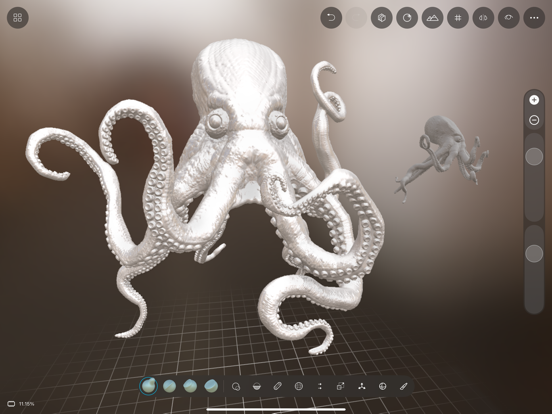
Sculptura 2 turns your iPad and Apple Pencil into a powerful voxel sculpting studio. Shape creatures, characters, miniatures, organic forms, and abstract art without managing mesh topology. Sculpt, paint, render, and export your models for 3D printing, animation, or further work in other 3D apps.
One-time purchase. No subscription.
High-Resolution Sculpting
• Sculpt detailed forms with a fast voxel/volume engine
• Use layers, symmetry, masks, and customizable tools
• Create organic shapes with clay, brush, pinch, flatten, inflate, smooth, cut, move, scale, rotate, and more
Custom Tools
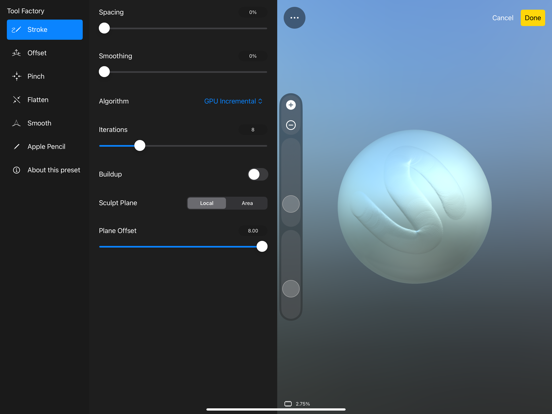
• Tool Factory lets you design your own sculpting tools
• Save favorite settings as Custom Tools
• Quickly switch between brushes built for your workflow
Painting, Materials, and Rendering
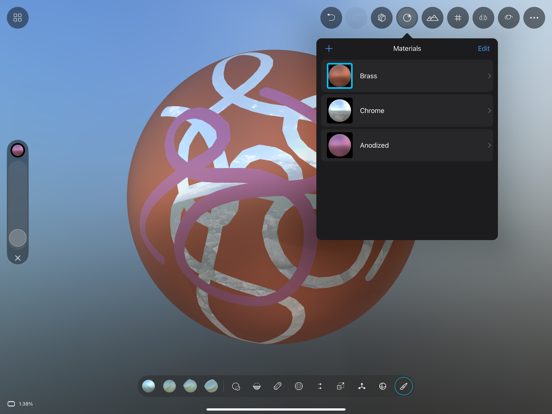
• Paint directly on your model with the Voxel Paint tool
• Use PBR materials, emissive glow, and image-based lighting
• Preview your work with real-time rendering and interactive path tracing
• Render with painted color, depth of field, and vignette
Export and Workflow
• Export USDZ with your paint baked into textures
• Import textured USD and USDZ models, colors included
• Paint your export in Procreate, then bring the colors back with Import Paint
• Import and export OBJ and STL files
• Automatic UV unwrapping on export
• Organize your sculpts into Groups in the Gallery
• Surprisingly small project files
• Built for Apple Pencil
Sculptura 2 is engineered by a single independent developer with help from artists and designers. Thanks for supporting indie apps.
Minimum recommended hardware: M1 iPad Pro.
Terms of Use: https://sculptura.app/terms/
Quoi de neuf dans la dernière version ?
Paint anywhere, bring it home. Export your sculpt as USDZ with paint baked into textures, paint it in Procreate or any other app, then use the new Import Paint to bring those colors back onto your sculpt, without changing your model.
Better USDZ export. A new USD engine bakes your paint into crisp textures, honors the Generate UV Maps setting, and lets you cancel long exports.
Textured import. Import textured USD and USDZ models with their colors carried straight into voxel paint.
Better brushes. The paint and mask brushes now have erase and blur modes, with a stronger, smoother blur. Clear all paint in one tap, and the inner radius now shapes your brush falloff the way you'd expect.
More beautiful renders. Paint colors now appear in path-traced renders, with new depth of field and vignette camera settings. Tap your model to set the focal plane. Rendering shows progress and can be cancelled, and Gallery thumbnails are now rendered with path-traced lighting.
Layer properties. A new pane under the layers list puts each layer's name, numeric position, rotation, and scale, and its resample settings in one place, with draggable X/Y/Z handles you can scrub to dial in a value.
Smoother and more responsive. Transform multiple layers at once, resample in the background with per-layer progress, and enjoy rendering fixes and interface polish throughout, including handling larger sculpts more smoothly.