Colors by Number
iPad / Graphisme et design
Colors by Number serves design professionals, developers, artists, color specialists, and educators – to complement the use of color in the mediums and applications of their choice – in the studio, the office, at home and beyond. It’s also an effective teaching tool for introducing students to the nuances of color theory and its application an an immediate, personal experience. Note that Colors by Number is NOT a “paint-by-number” color game.
• Colors by Number offers multiple means of viewing, editing, saving and exporting your own selections from literally billions of unique combinations of up to four colors displayed in 10 different geometric designs through an intuitive and customizable user interface.
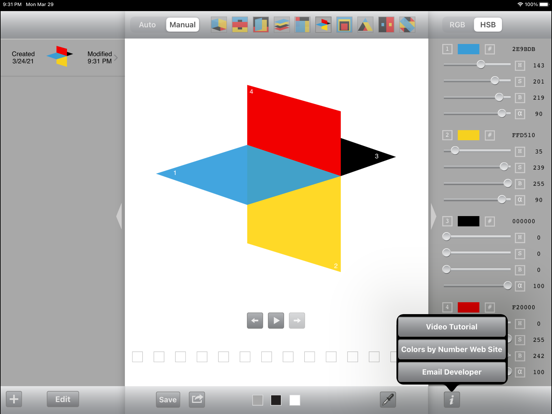
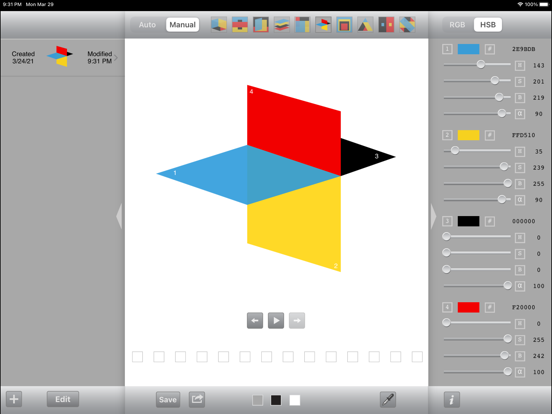
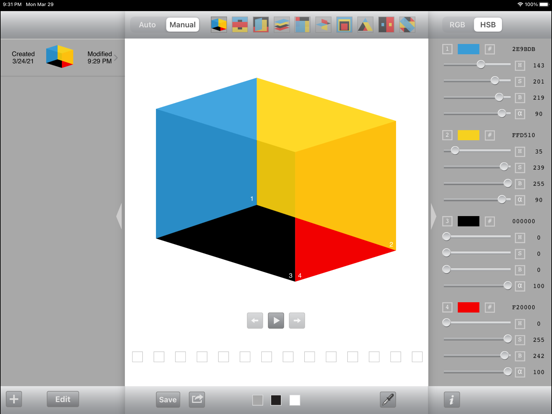
• The Colors by Number interface is divided into a central display area flanked by control panels that provide multiple options for viewing, defining, adjusting and managing selected color sets. Form - follows - function.
VIEW / SAVE (center panel)
• Cycle through billions of combinations of four colors generated in either Manual or Auto mode - set against your choice of three different background colors (gray, black or white)
• Toggle back and forth between 10 interchangeable geometric designs to view colors surrounding, adjoining and/or layered on top of one another
• Each design is comprised of four distinct color areas arranged and identified in numbered, overlapping layers
• Colors by Number is programmed such that no two colors can ever repeat within a given four-color combination
• Back and Forward buttons allow you to review your entire session history, one step at a time
• Eyedropper function for sampling and capturing colors generated in the central display panel; any colors in the resulting palette(s) can be selected and dropped onto individual color sliders in the right-hand control panel
• Option to hide left and/or right control panels (try hiding both control panels, select Auto mode, and see what happens next!)
• Save as many of your color selections as you like – for editing, printing, sharing or exporting for use in other applications
SELECT / ADJUST (right-hand panel)
• All color values are defined in RGB, HSB and Hexadecimal HTML color models including alpha channel (transparency) values
• Adjust individual color values - either by direct text input or by adjusting slider controls - changes are reflected in real time, in color blocks associated with controls and in the main (center) display area
• Any number of the four colors in a given form can be locked to prevent that color (or colors) from changing - by tapping once on its corresponding small color block; tapping again unlocks the color(s)
• Tapping twice on a small color block in the right-hand control panel brings up a Visual Color Selector where you can choose to edit or replace an existing color
• "Info" icon at bottom right provides access to Colors by Number's instructional video tutorial, support website, and email contact with the development team
EDIT / MANAGE / EXPORT (left-hand panel)
• View your entire session-specific history recorded from generated color and design selections, slider adjustments, text inputs or saved palette / design retrievals
• Store an unlimited number of selections in a Library that can be retrieved even after the app has been quit and restarted; color selections stored in the Library include dates created and last modified
• Print multiple selections with color data and associated thumbnail images to AirPrint-enabled printers
• Edit: review, add, delete or modify your Saved and Library selections at any time
• Export multiple, saved color selections as Adobe Swatch Exchange (ASE) or Image files; all selections exported via email include thumbnail images with numbered color areas and color data including alpha channel (transparency) values
Quoi de neuf dans la dernière version ?
- Bug fixing