Salden
iOS Universel / Finance
Salden is the smartest way to track your expenses — just say it out loud, and we handle the rest.
Speak naturally and Salden logs your expense instantly. Our AI automatically categorizes what you say — tell it "20 dollars for groceries" and it gets filed under Food, no tapping required.
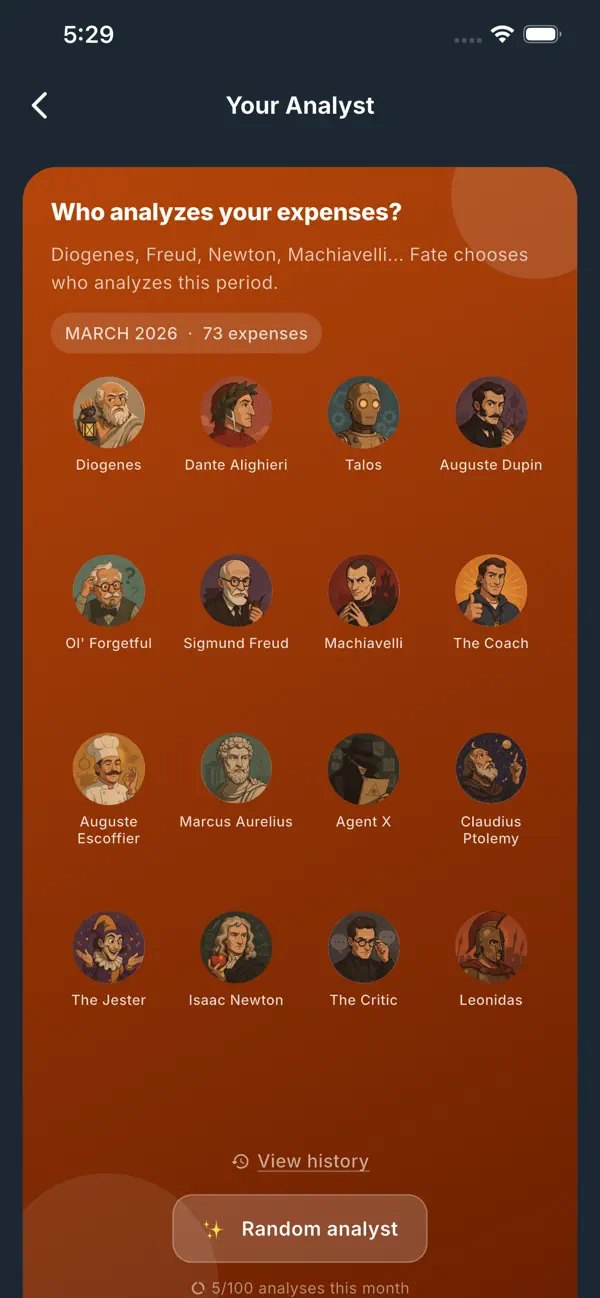
MEET YOUR ANALYST
Choose from 16 unique AI analysts — Sigmund Freud, Marcus Aurelius, Machiavelli, Isaac Newton, and more — and let them dissect your finances in their own style. Each one delivers a completely different take on
your spending habits, from stoic wisdom to sharp irony.
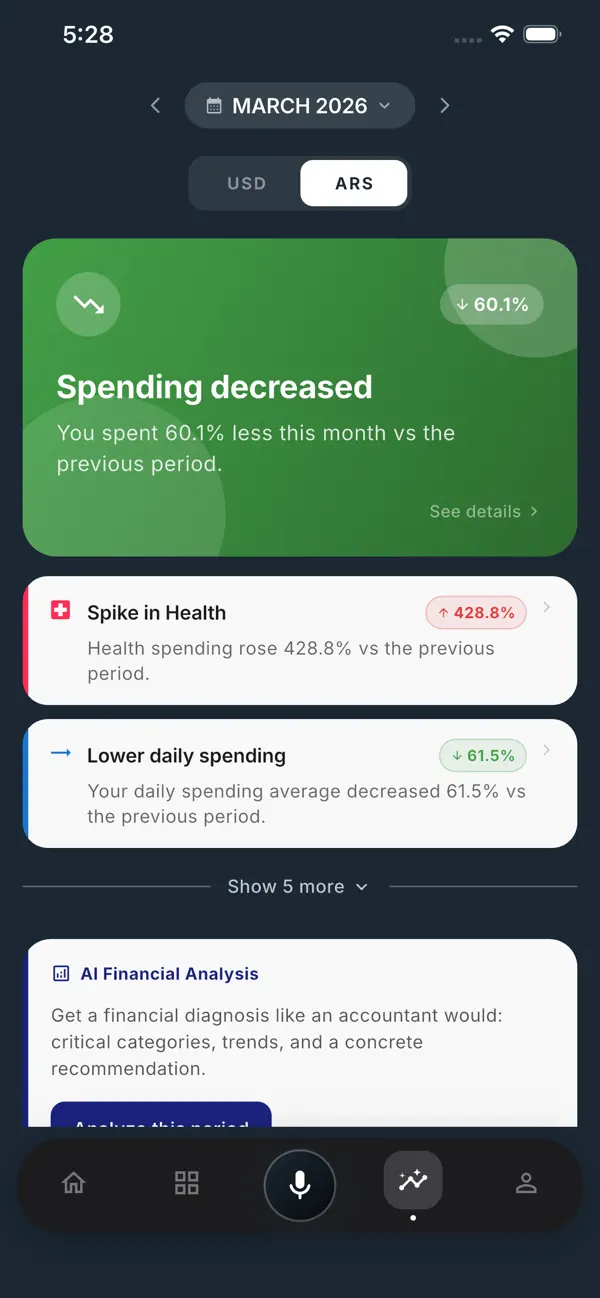
SMART INSIGHTS
Salden watches your spending patterns and surfaces what matters: which category spiked this month, when you spend the most, how your daily average is trending, and whether you have hidden subscriptions eating
away at your budget.
FEATURES
• Voice-first expense logging powered by AI
• Automatic categorization across dozens of categories
• 16 AI financial analysts with unique personalities
• Monthly spending insights and pattern detection
• Category breakdown with charts and period-over-period comparison
• Shared expenses — split costs with friends and family, settle with one tap
• Recurring expenses tracker
• Multi-currency support with real-time exchange rates
• Your data is securely stored in the cloud — never lost
• Export to CSV and XLS for deeper analysis
Terms & Conditions: https://www.salden.com.ar/terms_and_conditions_en.html
Quoi de neuf dans la dernière version ?
Big update! We've rebranded to Salden with a completely redesigned UI. Fresh look, smoother experience, everything you loved — better.
Meet your Analyst — choose from 16 AI analysts with unique personalities (Freud, Marcus Aurelius, Machiavelli, Newton, and more) and let them break down your finances in their own style. Each one delivers a
completely different take on your spending habits.
Smart Insights now surface what matters automatically: spending spikes, daily average trends, hidden subscriptions, and your peak spending days — all generated by AI.
Expenses are now grouped by date in the home screen and category screens. The categories screen got smarter too — filter by expenses or income, compare against the previous period with ▲▼ indicators, and tap
any summary tile to reveal the full amount. Dive into a category and you'll find a new summary card with your average, largest expense, and transaction count right at the top.