Clean Stock
iPhone / Finance
Clean Stock is a lightweight stock tracker and market watchlist app for following stocks, ETFs, indexes, and mutual funds without being buried under overwhelming dashboards.
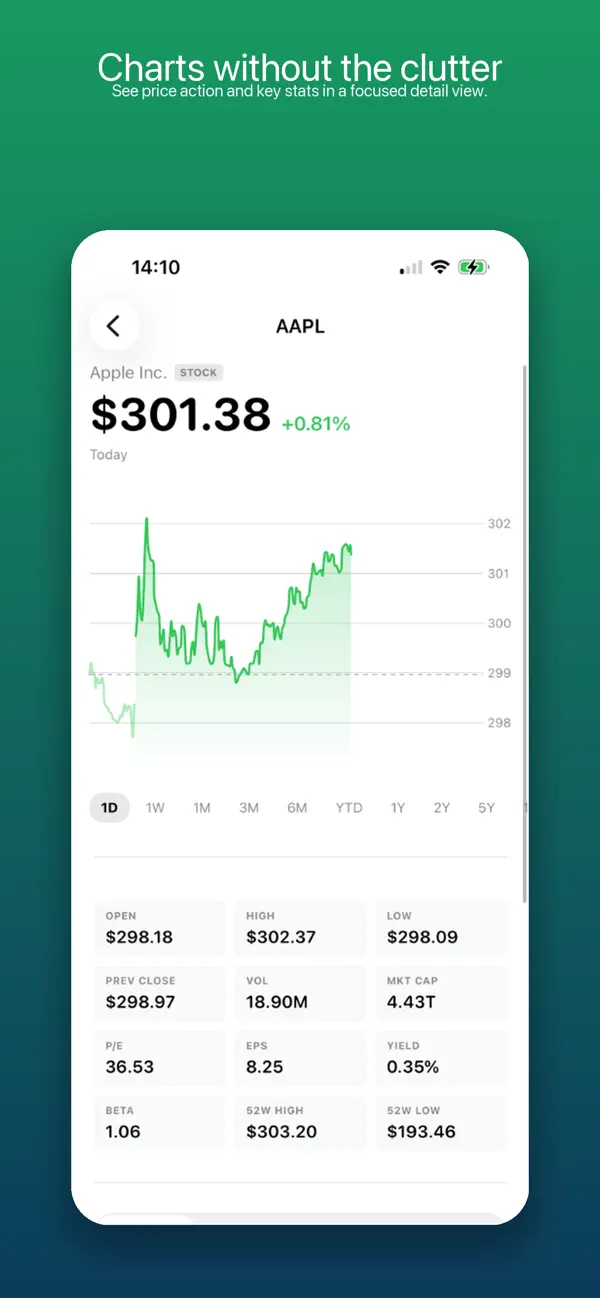
Create focused watchlists, scan simple red and green trends, set price alerts, compare price and total return against common benchmarks, build a portfolio plan, practice decisions with paper trading, and open each asset for the details that matter: charts, key stats, volume history, dividend yield history, EPS history, ETF holdings, mutual fund information, and related news.
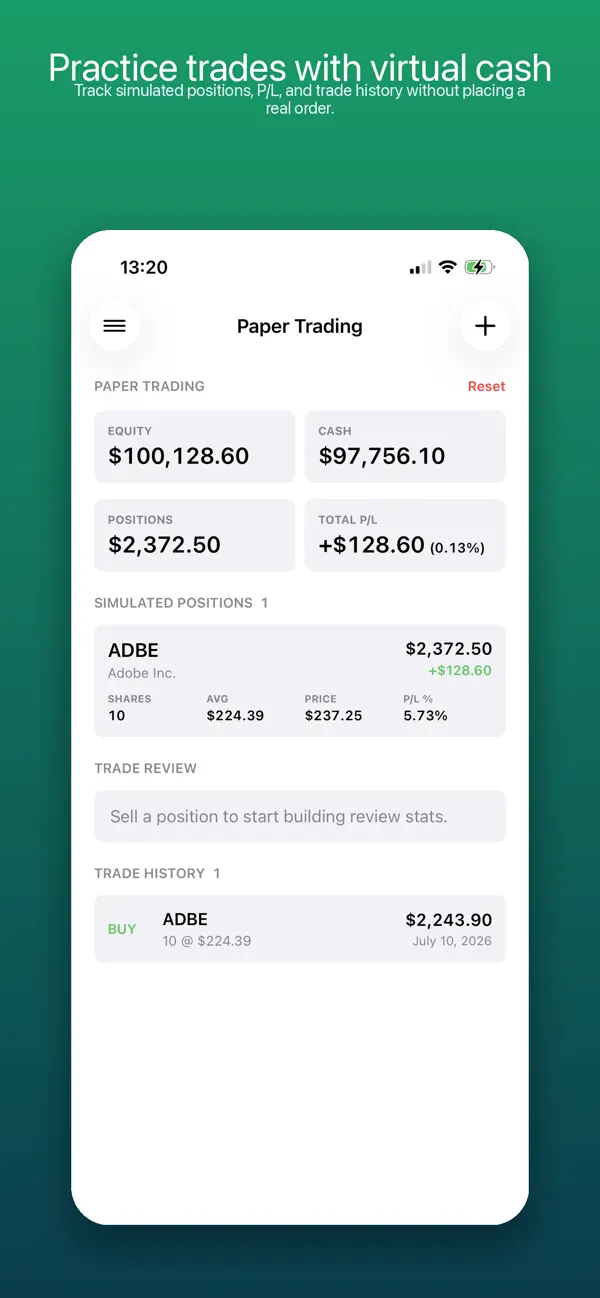
Paper trading uses virtual cash and never sends an order to a broker. Simulate buys and sells, follow open positions, review realized and unrealized profit or loss, add optional notes to decisions, and inspect simple review statistics for completed sells.
The app is built around the "Clean & Minimalist" concept: calm screens, readable rows, and enough context to understand what moved without turning every check-in into research homework.
Features:
- Clean, minimalist stock and ETF watchlists for different investing themes
- Starter default watchlist for a faster first launch
- Intraday and historical price charts
- Focused stock, ETF, index, and mutual fund detail views
- Volume history with daily and weekly views, rolling average, volume ratio, and z-score context for supported stocks
- Dividend yield history for supported stocks
- EPS charts with upcoming earnings markers when available
- ETF holdings and fund information
- Fund yield history, turnover stats, and timing tendency details when available
- Portfolio planning with target vs actual allocation, visual allocation markers, drift tracking, and base currency settings
- Holdings smart list for quickly reviewing tickers already added to your portfolio
- Paper trading with virtual cash, simulated buy and sell orders, open positions, and trade history
- Optional trade notes and review statistics including realized profit or loss, win rate, and average wins and losses
- Price alerts for rise and drop thresholds
- Separate price and total return benchmark comparisons against SPY, QQQ, DIA, IWM, VTI, TLT, and GLD
- Built-in smart lists including Holdings, Day Gainers, undervalued large caps, growth technology stocks, Top Mutual Funds, and High-Yield Bonds
- ETF and mutual fund category details with style-box context when available
- Search ticker symbols, add them to a list, or open details directly
- Related news links for supported symbols
Clean Stock is for informational purposes only and does not provide investment, financial, tax, or legal advice.
Quoi de neuf dans la dernière version ?
Clean Stock 1.8 introduces paper trading for practicing buy and sell decisions without placing real trades. Track virtual cash, open positions, realized and unrealized profit or loss, and trade history in one focused view.
Add an optional note to each simulated trade, then review completed sells with win rate, wins and losses, total realized profit or loss, and average win and loss.
This release also adds related ETF suggestions for supported indexes, improves index price formatting, and sorts the Holdings smart list by current position value when quote data is available.