iPhoneAddict Apps
  • Actualités
  • Accueil Apps
  • iPhone
  • iPad
  • Universelles
  • Mac
  • Apple TV
KG KultureGeek
App
iPhone / iPad Télécharger iAddict v5 Mac Télécharger iAddict Mac
  • Actualités
  • Accueil Apps
  • iPhone
  • iPad
  • Universelles
  • Mac
  • Apple TV
  • Archives keynotes
  • Firmwares & iTunes
  • Contactez-nous
  • Comparateur de prix
  • KultureGeek
Accueil » Liste des Apps » Apps Universelles » Education » Touch and Connect Touch 2nd edition / Parent and child communication app
1.5.0 iOS €Gratuit CAD CENTER CORPORATION 0 0 This app was made based on three concepts to encourage child development. 1. Can be intuitively navigated by touch. 2. Encourages play, learning, ambition through a sense of accomplishment and understanding. 3. Interacting cooperatively with adults...
Touch and Connect Touch 2nd edition / Parent and child communication app

Touch and Connect Touch 2nd edition / Parent and child communication app

iOS Universel / Education

Gratuit au lieu de 2,29€
Obtenir sur l'App Store
Facebook X E-mail

This app was made based on three concepts to encourage child development.
1. Can be intuitively navigated by touch.
2. Encourages play, learning, ambition through a sense of accomplishment and understanding.
3. Interacting cooperatively with adults is good experience for children and helps to encourage development.

Contents:
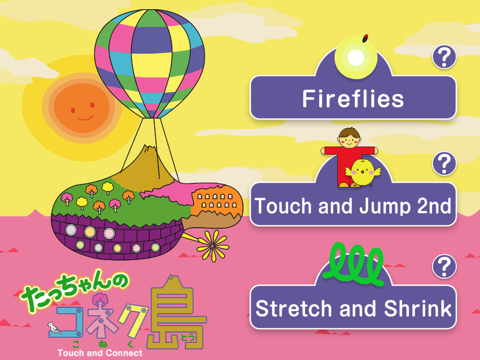
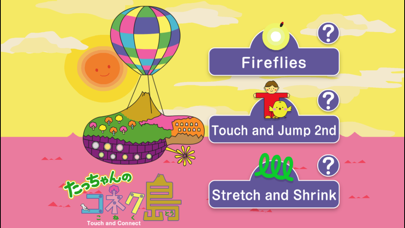
In this version, it include three contents which you can enjoy by touching the screen.

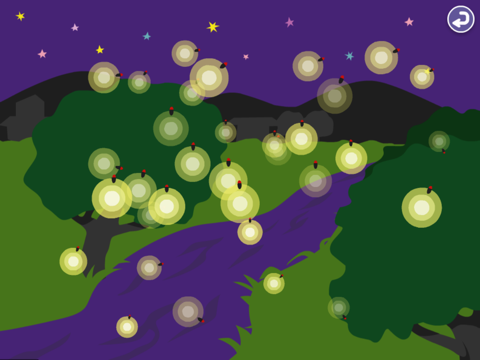
“Fireflies”
Touch different places on the screen to make fireflies appear.
Touch a tree or a stream for fireflies, and the night sky for shooting stars. Fireflies that appeared on the screen will fly away towards the outside of the screen.

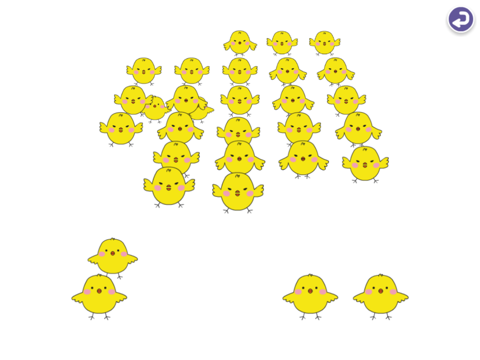
“Touch and Jump 2nd”
Chicks, and Boys
Touch the screen, place the curser over a character and make it jump.
You can make them jump one by one. If you sweep the screen surface horizontally or vertically you can make the characters jump in a wave. Try different kinds of jump and enjoy.

“Stretch and Shrink”
Scribble, stretch, and shrink a drawing.  Let's touch the screen and play together by putting two fingers stretch out, or fold in.
Click the “Draw” button and start scribbling. Click the “Morph” button and grab an edge of the drawing and move it around to stretch or shrink the drawing.
Click the “Erase” button to erase the drawing.
You can also shrink drawings and text, and save them to retrieve later. Using this function you can play a game to guess the stored drawing or text. First draw a picture and shrink it and touch one of number buttons at the lower right corner of the screen. The drawing will be saved there. Touch the number button to retrieve the drawing.

En voir plus...

Quoi de neuf dans la dernière version ?

This update from Apple will improve the functionality of this app. No new features are included.

64bit Supported
  • Screenshot #1 pour Touch and Connect Touch 2nd edition / Parent and child communication app
  • Screenshot #2 pour Touch and Connect Touch 2nd edition / Parent and child communication app
  • Screenshot #3 pour Touch and Connect Touch 2nd edition / Parent and child communication app
  • Screenshot #4 pour Touch and Connect Touch 2nd edition / Parent and child communication app
  • Screenshot #5 pour Touch and Connect Touch 2nd edition / Parent and child communication app
  • Screenshot #6 pour Touch and Connect Touch 2nd edition / Parent and child communication app

D'autres applications du développeur
Touch and Connect Free edition / Parent and child communication appTouch and Connect Free edition / Parent and child communication appiOS UniverselTouch and Connect Touch edition / Parent and child communication appTouch and Connect Touch edition / Parent and child communication appiOS UniverselTouch and Connect Fun edition / Parent and child communication appTouch and Connect Fun edition / Parent and child communication appiOS UniverselTouch and Connect Play edition / Parent and child communication appTouch and Connect Play edition / Parent and child communication appiOS Universel天サイ!まなぶくん葛飾区版 防災情報可視化ARアプリ天サイ!まなぶくん葛飾区版 防災情報可視化ARアプリiPhone川口市ハザードマップ川口市ハザードマップiPhoneVoir toutes les apps


Note

(0 note)

Détails sur l'application

Version
1.5.0
Taille
23 Mo
Version minimum d'iOS
5.1.1
Dernière mise à jour
28/05/2015
Publié par
CAD CENTER CORPORATION

Newsletter App Store

Recevez chaque jour les meilleures promos

Actualité Apple

Image OpenAI demande le rejet du procès d’Apple pour vol de secrets commerciaux
OpenAI demande le rejet du procès d’Apple pour vol de secrets commerciaux
Image Meta lance Muse Code, son agent IA Vibe Coding pour macOS et Linux
Meta lance Muse Code, son agent IA Vibe Coding pour macOS et Linux
Image Abode lance deux nouveaux capteurs compatibles Apple Home pour sécuriser garages et portails
Abode lance deux nouveaux capteurs compatibles Apple Home pour sécuriser garages et portails
Image Adobe Premiere, After Effects et Audition ne vont plus supporter les Mac Intel
Adobe Premiere, After Effects et Audition ne vont plus supporter les Mac Intel
iPhoneAddict Apps

Le catalogue iPhoneAddict pour suivre les nouveautés, mises à jour et baisses de prix de l’App Store.

Apps

Toutes les apps iOS iPhone iPad Universelles Mac Apple TV

iPhoneAddict

Actualité Apple Archives keynotes Contact À propos KultureGeek

Suivez-nous

©2009-2026 i2CMedia. Tous droits réservés.