Offline Scientific Calculator
iOS Universel / Education
Welcome to Offline Scientific Calculator, the tool designed to bring desktop-class mathematical computing right to your fingertips. Whether you are finding the roots of a complex polynomial, plotting trigonometric functions, calculating derivatives or inverting a 5x5 matrix, this guide will walk you through everything you need to know to master the app. This app will get you thru Calculus and Engineering.
1. The Interface and Smart Cursor
- Forget the frustration of retyping an entire equation just because of a typo.
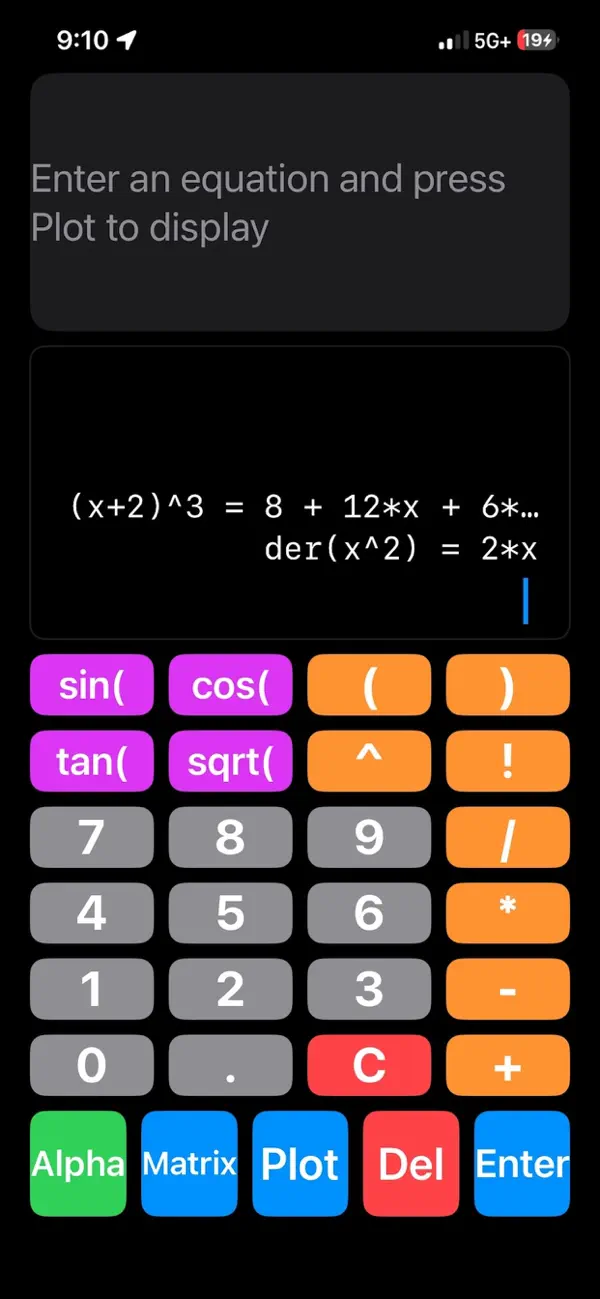
* The Tappable Cursor: The input display isn't just text; it's fully interactive. Simply tap anywhere on the equation string to drop the | cursor exactly where you want to edit, insert, or delete characters. Tap the far left space to instantly jump back to the beginning.
* The Equation Stack: Your last five operations are perfectly preserved above your typing area. If an equation gets too long to read, simply tap it to open a full-screen, scrollable view of the math.
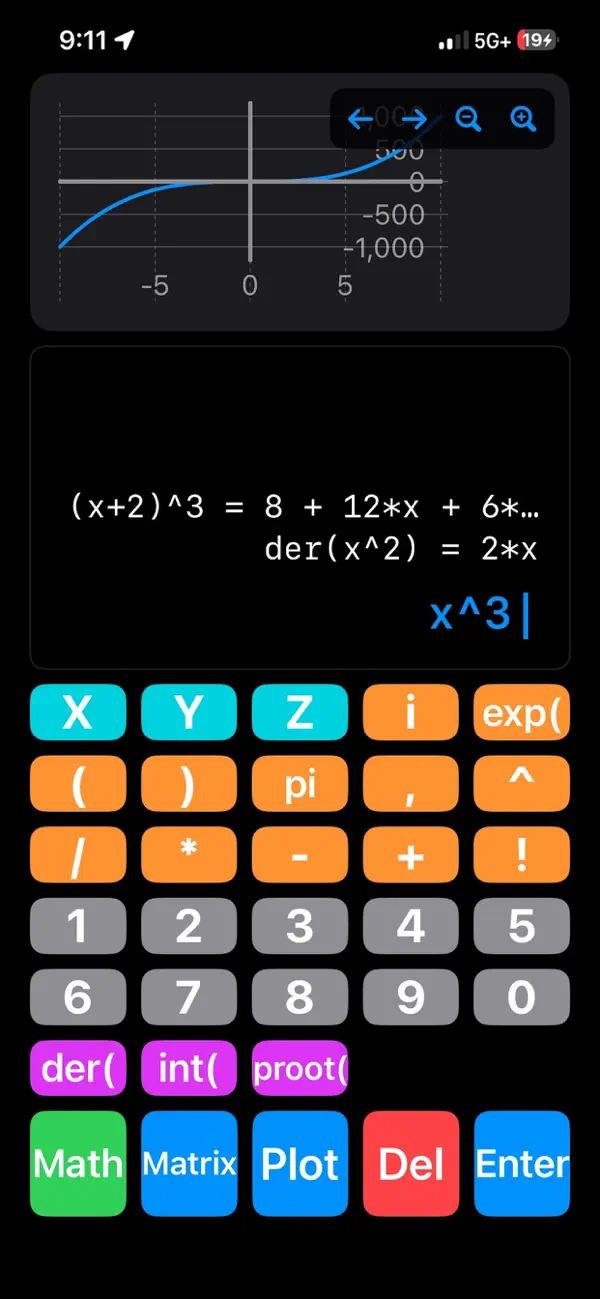
* Alpha and Math Modes: Tap the Alpha button to instantly toggle between your standard digits/trigonometry keyboard and the variable/calculus keyboard.
2. Smart Interactive Graphing
- Our custom rendering engine doesn't just draw lines--it understands the math you are typing.
* Plotting: Type any equation (e.g., x^2 - 16) and tap Plot. The graph will automatically scale the Y-axis to perfectly frame your curve.
* Drag to Pan: Don't rely on clunky buttons. Just swipe your finger across the graph window to fluidly drag and pan the camera across the mathematical domain in real-time.
* Precision Camera Controls: Use the built-in +, -, left, and right buttons in the corner of the graph for exact, incremental zooming and panning.
* Trigonometry Intelligence: The moment you plot a trig function (like sin(x)), the engine automatically detects it. The X-axis instantly swaps from standard decimals to a precision pi-based layout (e.g., pi/2, pi) and locks onto the exact 0,0 origin for perfect visual intercepts.
3. Automated Calculus and Roots
- Access high-level symbolic and numerical computing directly from the Alpha keyboard.
* Expand and simplify expressions: (x+2)^2 = x^2+4x+4
* Limits: lim(sin(x)/x,0) = 1
* Smart Derivatives (der): The derivative function is overloaded for your convenience.
* Symbolic: Type der(x^2) to get the algebraic formula 2*x.
* Numerical: Type der(x^2, 3) to instantly calculate the exact slope at x=3.
* Definite Integrals (int): Calculate precise areas under the curve. Format your input as int(equation, start, end). Example: int(x^2, 0, 5).
* The Polynomial Root Finder (proot): Say goodbye to manual guessing. Type proot(x^2 + 4x + 4). The engine will automatically scan the hidden curve, utilize Newton's Method, handle complex double-roots, and return a clean array of every X-intercept: [-2].
4. The Matrix Editor Studio
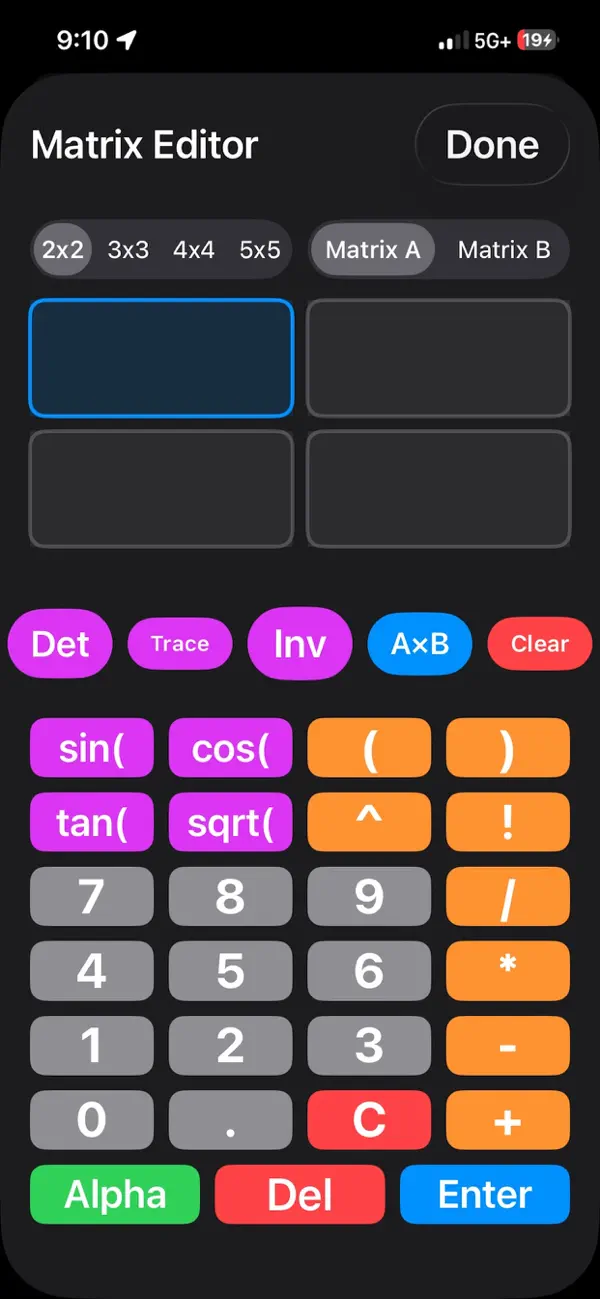
- Stop trying to cram complex grids into a single line of text. Tap the pink Matrix button to slide up the dedicated Matrix Studio.
* Dynamic Scaling: Use the segmented controller at the top to instantly snap your workspace between 2x2, 3x3, 4x4, and 5x5 grids. The UI scales proportionally to give you maximum breathing room.
* Algebraic Support: You can input variables, fractions, and formulas directly into the cells.
* One-Tap Computations:
* Det: Calculates the master Determinant.
* Trace: Calculates the sum of the main diagonal.
* Inv: Calculates the Inverse Matrix and displays it on your screen.
* A x B: Does the matrix multiplication, just enter matrix 1 and matrix 2 and press A x B and the results are shown in the matrix 1 display.
* Fluid Navigation: Tap any cell to select it, or simply hit Enter to rapidly advance to the next box while typing.
Tip: To exit the Matrix Editor and return to your standard graphing view, just tap "Done" in the top right corner. Your matrix answers will be safely logged in your main Equation Stack!
Quoi de neuf dans la dernière version ?
V.1.0.3 fixes a small bug in the ui