Navigate360 Student
iPhone / Education
College can be tough. Navigate Student makes it easier by helping you discover and connect with the right people and resources.
Use features like...
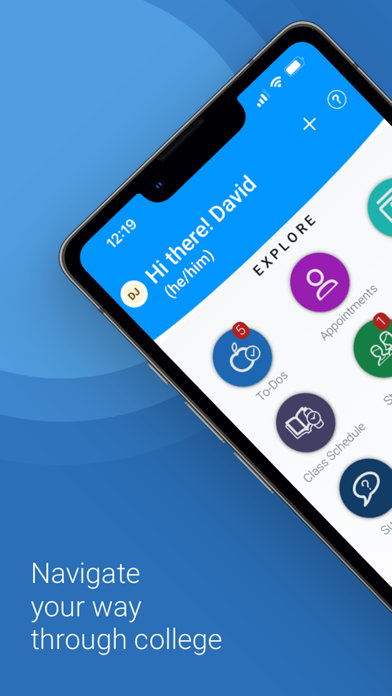
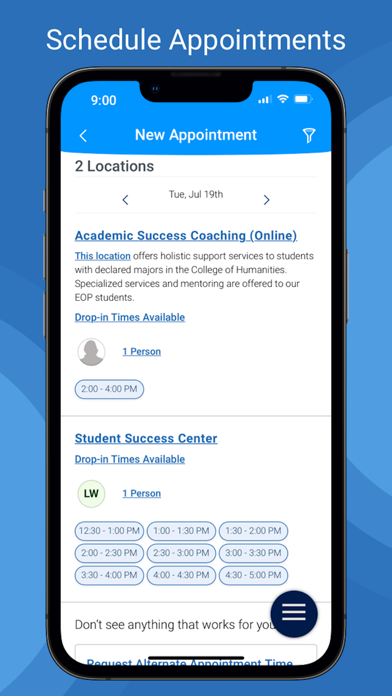
1. Appointment Scheduling - Schedule appointments with your school staff
2. To-Dos - View to-dos and events from your school
3. Class Schedule - view your classes and sync them to your phone calendar
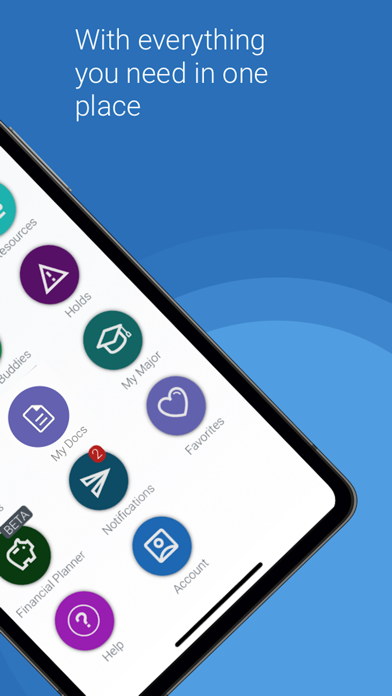
4. Resources - View location and contact info for people and places at school
5. Study Buddies - Make study groups with other students
6. My Docs - View appointment summaries, progress reports, and notes from your school
7. Holds - View your holds and steps to remove them
8. Surveys - Share valuable feedback about your experiences at your school
9. Notifications - Configure email, text message, and mobile push notifications
10. My Major - View your major and explore others that might be a good fit
Use our desktop website for course planning, scheduling, and registration.
Note:
- You can only use Navigate if your school partners with EAB.
- Navigate relies on data and configuration from your school. Some features might not be available depending on your school.
- If you have login problems, please use your school-affiliated email address to contact NavigateTechSupport@eab.com
Quoi de neuf dans la dernière version ?
Navigate360 Mobile 26.15 delivers a major modernization of the Calendar experience, introducing a redesigned interface with richer navigation, filtering, saved user preferences, and deeper backend integration. The release also strengthens the platform through shared design system improvements, enhanced data synchronization, and security updates, including XSS hardening and dependency upgrades.
Additional enhancements include Study Buddies improvements, analytics instrumentation, and user interface refinements that improve usability and consistency across the application. The release also resolves several significant defects affecting calendar events, notifications, navigation, and university branding while laying the groundwork for future performance and reliability improvements.