Smart HTML Editor with AI
iOS Universel / Education
The HTML Editor is a complete and user-friendly coding environment designed to help users write, edit, test, and manage HTML code efficiently. Whether you are a beginner learning web development or an experienced developer looking for a simple and fast editor, this app provides everything you need in one place.
The application is built with a clean and intuitive interface, allowing users to focus entirely on coding without unnecessary distractions. It provides a smooth and responsive experience, making it easy to understand and experiment with code in real time.
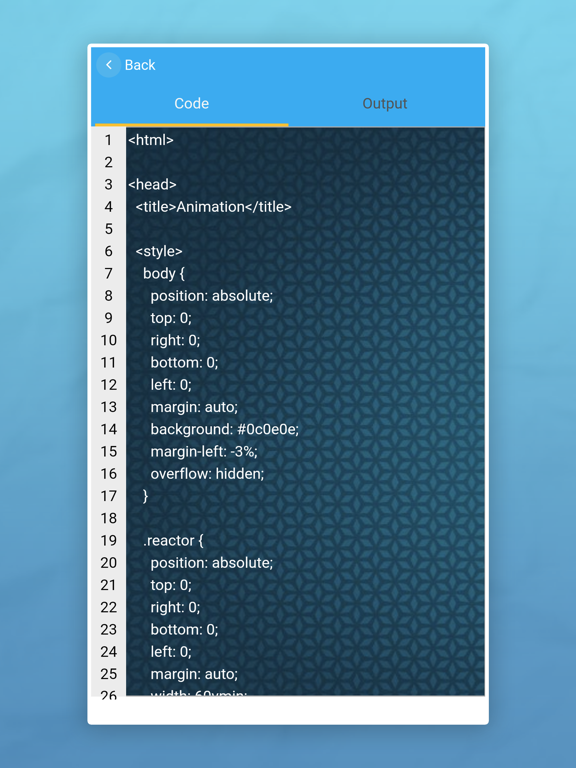
One of the key features of this editor is its three main working sections: Code, Output, and Console. The Code section comes with a simple default template, which helps users get started quickly. You can modify this code or completely replace it based on your requirements. This makes learning and development faster and more practical.
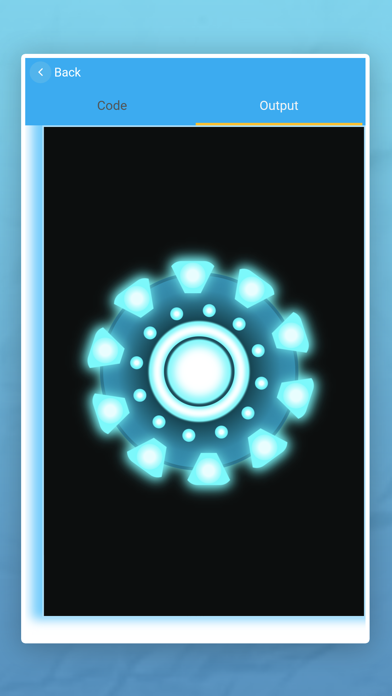
The Output section allows you to instantly view the result of your code. As you write or update your HTML code, the output is displayed in real time. This live preview feature helps users understand how their code works and improves productivity by reducing the need for repeated manual checks.
The Console section is one of the most powerful features of this app. It helps you identify and debug errors in your script easily. If there are any issues in your code, they will be displayed clearly in the console, making troubleshooting simple and effective. This feature is especially useful for learners and developers who want to improve their coding skills.
The editor also includes essential file management options such as New, Save, Save As, and Open. You can create new files, save your work directly to your device, duplicate existing files with modifications, and access previously saved files anytime. This ensures that your work is always organized and easily accessible.
To improve coding efficiency, the app provides useful tools like Find and Go to Line. You can quickly search for specific words or characters and navigate directly to any line in your code. These features save time and make editing large files much easier.
The app also supports seamless code transfer between devices. Using the Get and Transfer options, you can easily move your code between your mobile device and PC. This makes it convenient to continue your work across different platforms without any hassle.
Customization is another important aspect of this editor. You can adjust the font size for better readability and choose from different background themes based on your preference. This allows you to create a comfortable coding environment that suits your style.
Sharing your work is simple with the built-in Share option. You can quickly send your code to others, making collaboration and learning more effective.
For users who prefer an uninterrupted experience, a Pro version is available. By upgrading, you can remove ads and enjoy a distraction-free coding environment, allowing you to focus completely on your work.
In addition to its core features, the HTML Editor is designed to support continuous learning and practical experimentation. Users can try different code structures, test layouts, and instantly understand how changes affect the output. This hands-on approach makes the app not just a coding tool, but also an effective learning platform.
The editor is optimized for performance, ensuring fast loading and smooth interaction even when working with larger code files. Its simple design reduces complexity, making it accessible for beginners while still providing enough functionality for advanced users.
This HTML Editor is designed to provide a powerful, flexible, and easy-to-use platform for coding. With real-time output, error debugging, file management, customization options, and cross-device support, it serves as a complete solution for anyone interested in web development.
Terms of Use:
https://www.apple.com/legal/internet-services/itunes/dev/stdeula/
Quoi de neuf dans la dernière version ?
Crash fixes and improved stability
Faster and smoother performance
Improved animations and refined UI design
New Console Output Tab to view console.log(), JavaScript errors, warnings, and logs in one place
Enhanced compiler for better accuracy
Dark mode support added
More templates and backgrounds available
Fixed certificate related issue
Update now for an improved coding experience.