Ballyland Code 2: Give Rotor
iOS Universel / Education
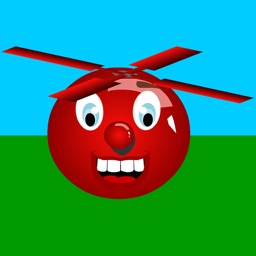
“Ballyland Code 2: Give Rotor” is a fun new game that teaches children, including those who are blind or visually impaired, basic coding concepts and skills that will be applicable to any programming language. In Coding Challenge 2 you need to code Wheelie to move to Ballicopter in the digital game grid, and to give him a new rotor so that he can fly again. In each of the three levels, the target and obstacles are in a different spot in the game grid, making ‘mental mapping’ and coding the shortest code for this Challenge slightly more difficult than the one in Ballyland Code 1: Say Hello. Visit the Sonokids website for optional 3D printable Ballyland learning tools for this app, and for the other fun educational Ballyland apps that help build preparatory iPad/gesture skills.
Develops:
• Computational thinking, basic coding concepts and skills, such as breaking problem down in steps, sequencing, patterning, using basic coding commands;
• Listening, Locating, ‘Mental Mapping’;
• Orientation, spatial awareness
• Navigating a digital game grid (rows/columns)
• Experiential learning of VoiceOver accessibility by sighted players
Features:
• Easy/Moderate level, follows on from Ballyland Code 1: Say Hello;
• Audio Based Coding™: built-in speech, accessible coding interface, audio description, fun but meaningful sound effects, audio and visual on-screen coding output, mini audio-play.
• Finger gestures: Finger drag, Flick left and right with one finger, Flick down and up with one finger, Double tap, Three finger flick left.
• VoiceOver accessible at start page, accessible menus in the game;
• Unique accessibility for learners with visual impairment, including adults who are keen to find out more about coding;
• “Black Curtain” option to create level playing field for all;
• Designed with feedback from children with visual impairment, parents and teachers;
• Option to use Ballyland 3D printable tactile grid, characters and objects for learning support (specifically designed for the Ballyland Code apps);
• Use at home and school.
Quoi de neuf dans la dernière version ?
- Bug fixes
- Change landing page to have clearer instructions