iPhoneAddict Apps
  • Actualités
  • Accueil Apps
  • iPhone
  • iPad
  • Universelles
  • Mac
  • Apple TV
KG KultureGeek
App
iPhone / iPad Télécharger iAddict v5 Mac Télécharger iAddict Mac
  • Actualités
  • Accueil Apps
  • iPhone
  • iPad
  • Universelles
  • Mac
  • Apple TV
  • Archives keynotes
  • Firmwares & iTunes
  • Contactez-nous
  • Comparateur de prix
  • KultureGeek
Accueil » Liste des Apps » Apps iPhone » Education » OBD Explorer
L'application n'est plus disponible sur l'App Store français
1.1.0 iOS €7,99€ Craftin De Apps LLC 0 0 OBD Explorer lets you explore the functions of an OBD adapter and the vehicle busses it is connected to. You can send any commands that the adapter supports. - Supported Adapters This program will connect with an OBDLink MX+ OBD adapter, the...
OBD Explorer

OBD Explorer

iPhone / Education

7,99€
Acheter sur l'App Store
Facebook X E-mail

OBD Explorer lets you explore the functions of an OBD adapter and the vehicle busses it is connected to. You can send any commands that the adapter supports.

- Supported Adapters
This program will connect with an OBDLink MX+ OBD adapter, the OBDLink MX-WiFi OBD adapter and many other WiFi adapters, and with Bluetooth 4.0+ (Bluetooth Low-Energy)(BLE) adapters.

If you don't already own an adapter, we highly recommend the OBDLink MX+. This, and the OBDLink MX-WiFi, are the only consumer adapters that support the SWCAN (aka GMLan) bus.

- Operation
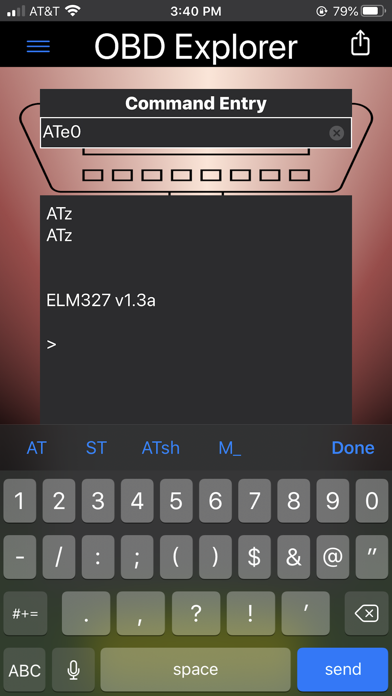
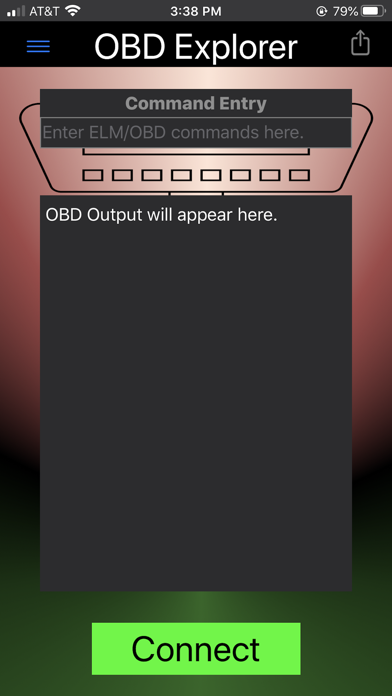
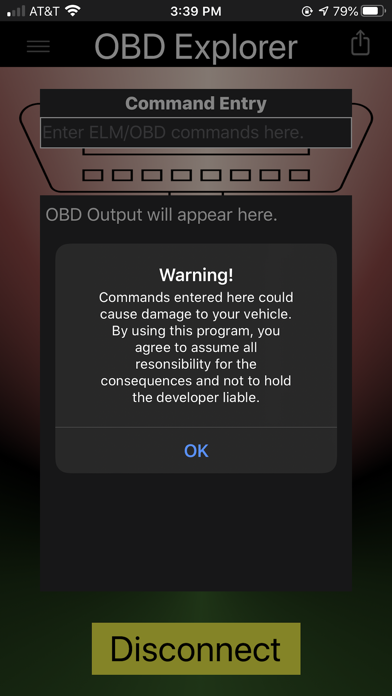
After you have selected a connection method, you are ready to begin using OBD Explorer. Simply press the "Connect" button and then tap in the "Command Entry" field to bring up a keyboard for command entry. Each command you enter is added to the log screen, followed by the response from the OBD adapter.

- Share
There is a "Share" button at the top-right of the screen. This allows you to export the log of your commands/responses to your choice of places.

- Macros
OBD Explorer makes it easy for you to enter often-used commands with it's "Macros" facility. You can add, delete, edit macros any way you like. To invoke a macro, just type M_ followed by the name of the macro.

- Translate
OBD Explorer, with your guidance, can translate the output from your vehicle into more useful forms. It can translate the data into a character string, or into numbers (either a byte at a time or two bytes at a time). A prime example of this is translating the result from a request for the car's VIN (PID 09 02) into the desired result.

Links to publicly-available guides to help you with your exploration are included in the documentation.

En voir plus...

Quoi de neuf dans la dernière version ?

This version adds a "Translate" function which shows the hex-encoded values reported by your vehicle in a more useful format.

We also fixed a bug in the "Clear After Share" operation, and other minor fixes and improvements.
  • Screenshot #1 pour OBD Explorer
  • Screenshot #2 pour OBD Explorer
  • Screenshot #3 pour OBD Explorer

D'autres applications du développeur

MyVoltControlMyVoltControliOS Universel

Note

(0 note)

Détails sur l'application

Version
1.1.0
Taille
4.4 Mo
Version minimum d'iOS
13.1
Dernière mise à jour
30/07/2020
Publié par
Craftin De Apps LLC

Newsletter App Store

Recevez chaque jour les meilleures promos

Actualité Apple

Image iPhone : Apple a capté 49 % des revenus de smartphones au 2e trimestre, un record
iPhone : Apple a capté 49 % des revenus de smartphones au 2e trimestre, un record
Image L’iPhone Air 2 aurait une Dynamic Island plus petite et d’autres nouveautés
L’iPhone Air 2 aurait une Dynamic Island plus petite et d’autres nouveautés
Image iPhone 18e : les 9 Go de RAM se confirment un peu plus
iPhone 18e : les 9 Go de RAM se confirment un peu plus
Image Apple met à jour Shazam avec des autocollants iMessage pour l’album petal d’Ariana Grande
Apple met à jour Shazam avec des autocollants iMessage pour l’album petal d’Ariana Grande
iPhoneAddict Apps

Le catalogue iPhoneAddict pour suivre les nouveautés, mises à jour et baisses de prix de l’App Store.

Apps

Toutes les apps iOS iPhone iPad Universelles Mac Apple TV

iPhoneAddict

Actualité Apple Archives keynotes Contact À propos KultureGeek

Suivez-nous

©2009-2026 i2CMedia. Tous droits réservés.