Extenda GO POS
iOS Universel / Economie et entreprise
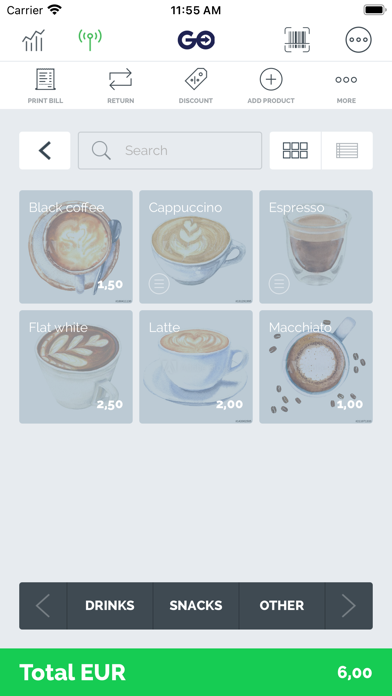
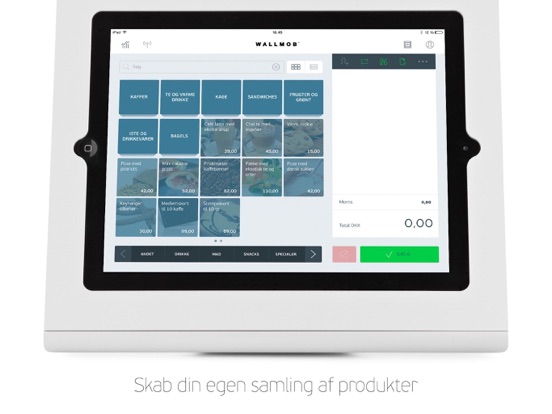
Extenda GO POS, formerly known as Wallmob POS, is a powerful Point of Sale application designed to be easy to use, especially for small and medium sized businesses up to small store chains.
Why not gain the power and flexibility of being mobile with the convenient and user-friendly Extenda GO POS application as your cash register.
Extenda GO POS brings the power and functionality of a traditional POS–system to a higher level, giving your business that professional feel without the professional cost.
Exclusively designed for cafes, startups and small retail chains, Wallmob POS gives a positive first, second and third impression that you and your customers will remember.
To open the world of Extenda GO POS to your store, you need to create an account with ExtendaGO. You can do that on our website.
Integrated bank terminal is available in all countries supported by Verifone, Adyen, SumUp, Nets, CCV and Payex. For other countries, you will use a decoupled terminal while still settling your orders with card as the chosen tender.
Extenda GO POS has support for dine in/dine out pricing, split bill functionality, even kitchen display screen with Extenda GO KDS
Support for Visma eAccounting, intelligent return handling and several other nice features contribute to make your store days more comfortable.
As Extenda GO POS is powered by Extenda Retail, the Extenda GO app will give you live sales tracking of your stores, and assist you in keeping your stock updated.
Quoi de neuf dans la dernière version ?
A major improvement in this version is the redesign of bill action buttons, moving them from the top of the bill and the “More” button to expand, into a hamburger menu icon next to the payment buttons expanding a full menu of actions, giving much more space both to the bill itself, but also to each bill action. This makes information like active customer much more available. POS will now print order slips for preorders coming in to running man, as for KDS. The feature to use POS to close orders received from Ordin, Funbutler or other systems has now been reintroduced, allow full fiscalization and financial reporting also for e-commerce orders. The feature must be enabled with the parameter Shared.Setting.ExternalOrderClosing.Enabled. Then you get a selection field on the shop page to select the register that will do the order closing for that shop. It will consume all orders received where the attribute “close_order_in_pos” is set to 1. Transactions are now printed on pro forma receipts, this will enhance the value of this print for deposit payments made for preorders. You can now reopen the coupons view for diller to select coupons to use without having to remove customer and readd her. You can tap on the customer club icon in the bill actions to make the dialog reappear. When a new customer is added to the customer database, you will now get a duplicate warning if the number or email already exists on another customer. Gift cards can now be used in shared bills and parked bills. Customer group editing can now be disabled in customer screen, following the parameter POS.Setting.CustomerGroupEditing.Enabled, default value true . When discount reason codes are defined in backoffice, you are now able to select the reason why a discount is given in POS. FreeItem discount type is now used when pushing the new FREE discount button for line items. On the discount popup, when percentage discount is selected, you can now select preset values 10%, 25%, 50%, custom discount or the Free item described above. If your role does not have access to EOD, you will no longer be able to do EOD. If unsent data exist when you try to log out, the retry button will now try to resend the data actively. You can now scrap the print queue from the printer popup. In some scenarios you can attach a printer with a huge list of unprinted artefacts that make no sense printing at the current time. You can now push a button to discard all waiting prints
There is now a new feature to print a pick list for the bill. The pick list will show you what to get, where the items are placed in the shop, the quantities of each item, and the barcode of the item. For a bundle product, all products inside will be listed showing this information. The city field is now shown after postal code in the delivery address part of shipped orders. POS will now post Misc payments on the general misc tender if all misc types are set to be not shown in POS. Image for folders in layout templates, and font color set in layout templates are now supported in POS. A new bill action button is now added to print price labels for all items in the bill. This allows you to print sets of labels when a label printer is connected. Printed receipts are now printed in the order they were added to bill. Adyen Terminal API has been added to handle unexpected responses from payments made by tenders unknown to POS directly, like Twint. Deferred authorization is now supported for Nets BT terminals, ie Link 2500. When deferred auth mode is activated, either from the terminal settings page or from the terminal popup on the sales screen, all transactions are going to the card terminal with no online authorization being done during the payment. This is an augmentation of the already existing “Force offline” mode, that will do some authorization that renders foreign credit cards unusable.