ServiceNow Agent - Intune
iOS Universel / Economie et entreprise
ServiceNow Mobile Agent for Intune allows Microsoft Intune admins to create policies that secure the application in a bring-your-own-device (BYOD) environment.
IMPORTANT: This software requires your company’s work account and a Microsoft managed environment. Some functionality may not be available in all countries. Please contact your company’s IT administrator if you have issues or questions about the use of the software.
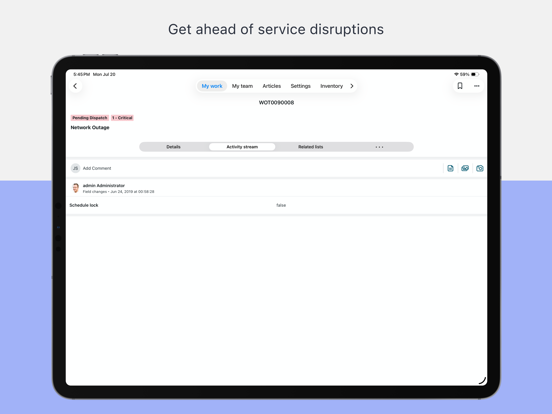
ServiceNow Mobile Agent app delivers out-of-the-box, mobile-first experiences for the most common service desk agent workflows, making it easy for agents to triage, act on and resolve requests on the go. The app enables service desk agents to promptly manage and resolve end user issues from their mobile devices. Agents use the app’s intuitive interface to accept and update work even without Internet connectivity. The app greatly simplifies work by leveraging native device capabilities for tasks like navigation, barcode scanning, or collecting a signature.
The app comes with out-of-the-box workflows for service desk agents in IT, Customer Service, HR, Field Services, Security Ops and IT Asset Management. Organizations can easily configure and extend the workflows to meet their own unique needs.
With Mobile Agent you can:
• Manage the work assigned to your teams
• Triage incidents and cases
• Act on approvals with swipe gestures and quick actions
• Complete work while offline
• Access the full issue details, activity stream, and related lists of records
• Optimize workflows with location, camera, and touchscreen hardware
NOTE: This app requires the ServiceNow Rome instance or later.
© 2026 ServiceNow, Inc. All Rights Reserved.
ServiceNow, the ServiceNow logo, Now, Now Platform, and other ServiceNow marks are trademarks and/or registered trademarks of ServiceNow, Inc. in the United States and/or other countries. Other company names, product names, and logos may be trademarks of the respective companies with which they are associated.
Quoi de neuf dans la dernière version ?
New:
- Liquid Glass design updates across the mobile experience
- Introducing ServiceNow Otto across mobile experiences
- Redesigned settings screen with modern interface and expandable sections
Fixed:
- Push notifications redirect to a screen that reads ‘No data'
- Error is thrown when user selects a chart from the ALP
- Icon badge notification count is not cleared after notifications are read remotely
- Images captured in-app are changed from portrait to landscape
- Smart routing from list, form, and KB links to apps doesn't work
- Focus does not start at the beginning of the page when selecting a location
- Enhanced Chat citation links don’t work properly
- Mobile questionnaire details text is cut off under the question
- Smart assessment attachment upload fails on first attempt
- A blank screen is observed on login despite successful authentication
- Users can't be mentioned in the Activity Stream in Japanese
- The checklist details screen is greyed out even if the ‘Available offline’ option is on
- Submitting a secondary IFS causes attachments added to the original one to disappear
- Images captured by the app camera or uploaded to a work order task have no geolocation data
Detailed release notes can be found on the ServiceNow product documentation website.