Hindenburg Field Recorder Lite
iPhone / Economie et entreprise
This is the free version of Hindenburg Field Recorder. NOTE: RECORDINGS WILL BE AUTOMATICALLY STOPPED AFTER 1 MINUTE. This is the only limitation of the LITE version compared to HINDENBURG FIELD RECORDER, that is available for purchase in iTunes App Store ***
Hindenburg Field Recorder is made with radio production in mind. It will work equally well for anyone conducting interviews for podcasts or research.
It’s all about the story.....
Create your interview in three simple steps:
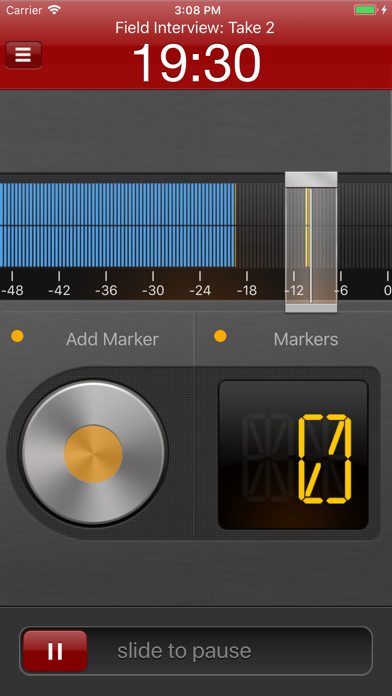
Step 1: Record interview and set markers at points of interest
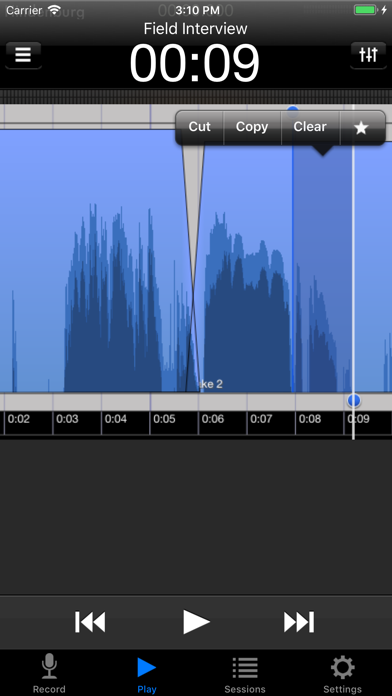
Step 2: Edit recording with cut, copy, paste and more...
Step 3: Share your interview with attached picture and location
Recording
Simply begin recording whenever a story occurs.
Set markers at points of interest in the interview. Markers make it easier to navigate large interviews. Finding those good soundbites can otherwise be a tedious job.
Add additional recordings to your session. This could be speaks or background sounds and more.
Editing
Hindenburg Field Recorder has all the editing features needed for creating a radio interview.
The interface is kept simple and uncluttered. But there is more to it than meets the eye.
* Non-destructive editing with full undo/redo.
* Cut, copy, paste, insert, break, clear, move, trim and change volume of regions
* Adjust playback position with audible scrub
* Rehearse edit or play selection
* Add fade in and fade out or create cross-fades between regions
* Create, delete and rename markers, jump between markers
* Copy and paste audio between sessions
* Add jingles or sound bites from the favorites clipboard.
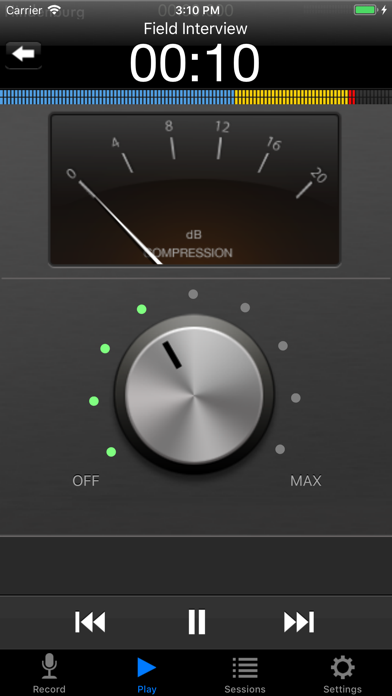
* Use the built in compressor/limiter to increase overall volume.
To find out more check the support URL where you will find a download link to the the PDF guide.
Share
There are five ways of getting your interviews out of the device.
1. Send to your computer (With Hindenburg Pro)
2. Send as e-mail
3. Upload to FTP servers
4. Share to iTunes
5. Use "Open in..." to send audio to other apps
Specifications:
Records audio as 16 or 24-bit / 44.1 or 48kHz PCM.
Stereo recording supported with suitable accessories.
Option to monitor with headphones while recording.
Share audio as WAV, AAC, MP2 or ALAC with adjustable compression parameters.
Hindenburg Radio Tools are developed and tested in a collaborations with radio professionals.
Quoi de neuf dans la dernière version ?
Updated to comply with iOS 18
Fixed crash when used from "Open With..."