• KultureGeek
  • Comparateur de prix
       
iPhoneAddict
 iAddictv5Notre Application iPhone/iPad
  • Accueil Apps
  • Actualité Apple
  • Keynote Apple
  • Firmwares & iTunes
  • Contactez-nous
Accueil » Liste des Apps » Apps iPhone » Economie et entreprise » WorkxPro
1.0.25 iOS €Gratuit Leap Developments 0 0 WorkxPro is crew management Software built for Construction. Employees clock in from their phones with GPS verification. Managers see everything in real time from the admin portal. No paper timesheets. No spreadsheets. No Friday fire drills. Tested...
WorkxPro

WorkxPro

iPhone / Economie et entreprise

Gratuit
Obtenir sur l'App Store

WorkxPro is crew management Software built for Construction. Employees clock in from their phones with GPS verification. Managers see everything in real time from the admin portal. No paper timesheets. No spreadsheets. No Friday fire drills.

Tested on real construction job sites. Works offline. Your least tech-savvy worker can use it in 30 seconds.

ONE-TAP CLOCK IN
Workers open the app, select their job site and cost code, and tap clock in. GPS confirms they're on site. Photos, notes, and equipment are captured with every entry. That's it no training manual needed.

SPLIT SHIFTS ACROSS JOBS
Your crews don't work one task all day. WorkxPro lets workers split shifts across multiple job sites, cost codes, and tasks so every hour lands on the right project. Travel time is tracked separately. Your job costing finally reflects reality.

LIVE ACTIVITY ON YOUR LOCK SCREEN
Forgot to clock out? You'll see the timer still running. right on your iPhone lock screen and Dynamic Island. Break timer shows up too, so no one accidentally takes a 3-hour lunch.

WORKS OFFLINE. EVERYWHERE
No signal at the job site? No problem. WorkxPro stores everything locally and syncs when connectivity returns. GPS is captured at the moment of clock-in, not when it syncs. Your crew never loses a punch.

CREW SCHEDULING
Publish schedules so workers know where to show up, when, and what to bring. Drag-and-drop in the admin portal. Workers see their shifts instantly in the app. No more "where am I tomorrow?" calls.

EQUIPMENT TRACKING
Log which equipment is being used, at which site, and for how long. Workers select equipment at clock-in and log hours at clock-out. Know where your assets are without calling around.

SMART FORMS. REPLACE PAPER
Build custom forms in the admin portal with a drag-and-drop builder and live mobile preview. Safety checklists, end-of-day reports, equipment inspections — workers fill them out in the field with photos, notes, and signatures.

GEOFENCE REMINDERS
Set a radius around each job site. Workers get a push notification when they arrive ("Open the app to clock in") and when they leave while still clocked in ("Open the app to clock out"). Fewer missed punches, fewer ghost shifts.

PUSH NOTIFICATIONS
Send schedule changes, weather delays, safety alerts, and announcements to your entire crew or specific groups, instantly from the admin portal. No more phone trees.

EDIT REQUESTS
Worker made a mistake? They submit a correction request from the app. You review and approve or deny with one tap. Clean audit trail, no sticky notes or lost texts.

APPROVAL WORKFLOWS
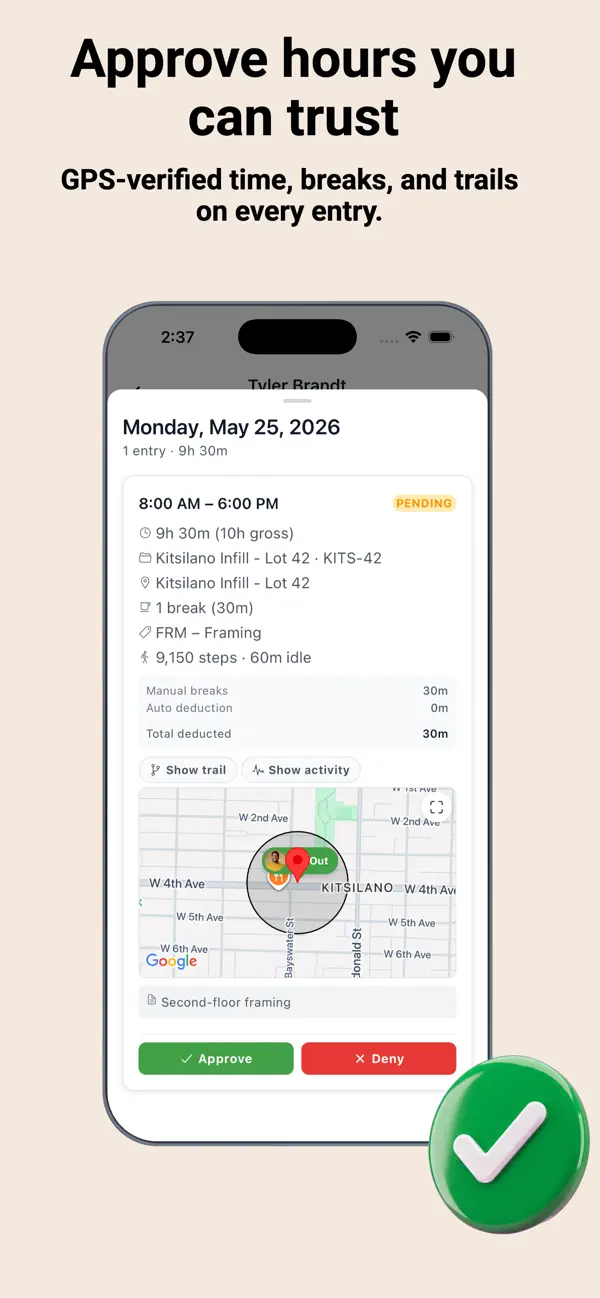
Every time entry is reviewed before it reaches payroll. Approve by week, deny with reasons, handle edit requests. Nothing slips through unchecked.

PAYROLL INTEGRATION
Approved timesheets push directly to Payworks. Hours broken down by project code, job site, and employee, ready for export. CSV available for any payroll system.

THE ADMIN PORTAL
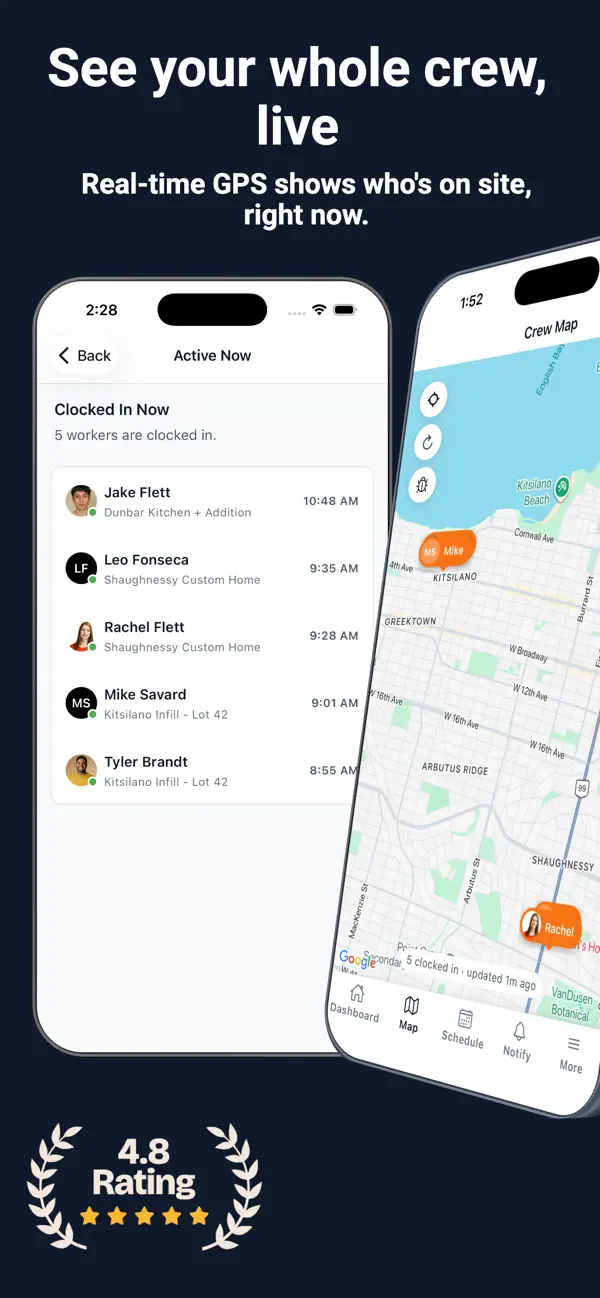
The companion web portal gives managers a real-time dashboard, map of clock-in locations, weekly approvals, drag-and-drop scheduling, equipment management, custom form builder, reports, and payroll export. Everything your crew does in the field flows to you automatically.

WHO IT'S FOR
- Companies with 5 to 200+ field workers
- General contractors and specialty subcontractors
- Owners tired of chasing timesheets every pay period
- Office admins spending hours on payroll reconciliation
- Foremen who need the right crew at the right site

En voir plus...

Quoi de neuf dans la dernière version ?

Bug fix

Split shifts are here, making it easier to track multiple work periods in a single day.

Users can now submit requests to edit time entries, including clock-in times, so real-life mistakes are easier to fix.

Equipment usage now supports project codes for cleaner tracking and better reporting.

Live Activity view lets you keep an eye on your shift in real time.

Breaks now show how long they lasted for better visibility throughout the day.

Note

(0 note)

Détails sur l'application

Version
1.0.25
Taille
29.6 Mo
Version minimum d'iOS
15.1
Dernière mise à jour
01/04/2026
Publié par
Leap Developments

Newsletter App Store

Recevez chaque jour les meilleures promos

Actualité Apple

Image Amazon souhaiterait racheter Globalstar, le partenaire satellite d’Apple
Amazon souhaiterait racheter Globalstar, le partenaire satellite d’Apple
Image iPhone 18 Pro : Apple écarterait de nouveau le coloris noir au profit d’une teinte plus originale
iPhone 18 Pro : Apple écarterait de nouveau le coloris noir au profit d’une teinte plus originale
Image Conflit au Moyen-Orient : Apple serait mieux préparé aux pressions sur la supply-chain indienne
Conflit au Moyen-Orient : Apple serait mieux préparé aux pressions sur la supply-chain indienne
Image Apple TV mise sur Stellan Skarsgård et Dakota Fanning pour une nouvelle série thriller
Apple TV mise sur Stellan Skarsgård et Dakota Fanning pour une nouvelle série thriller
Partenaires : Actualité iPhone - Culture Geek
©2009-2026 i2CMedia | A propos |