iPhoneAddict Apps
  • Actualités
  • Accueil Apps
  • iPhone
  • iPad
  • Universelles
  • Mac
  • Apple TV
KG KultureGeek
App
iPhone / iPad Télécharger iAddict v5 Mac Télécharger iAddict Mac
  • Actualités
  • Accueil Apps
  • iPhone
  • iPad
  • Universelles
  • Mac
  • Apple TV
  • Archives keynotes
  • Firmwares & iTunes
  • Contactez-nous
  • Comparateur de prix
  • KultureGeek
Accueil » Liste des Apps » Apps Universelles » Divertissement » Epson Creative Projection
1.0.7 iOS €Gratuit Seiko Epson Corporation 5 1 Epson Creative Projection Use an Epson projector*1 and your custom content to bring spaces alive! Epson Creative Projection is an app that allows you to enjoy creating custom content on an iPhone or iPad easily. Decorate any room or space by...
Epson Creative Projection

Epson Creative Projection

iOS Universel / Divertissement

Gratuit
Obtenir sur l'App Store
Facebook X E-mail

Epson Creative Projection

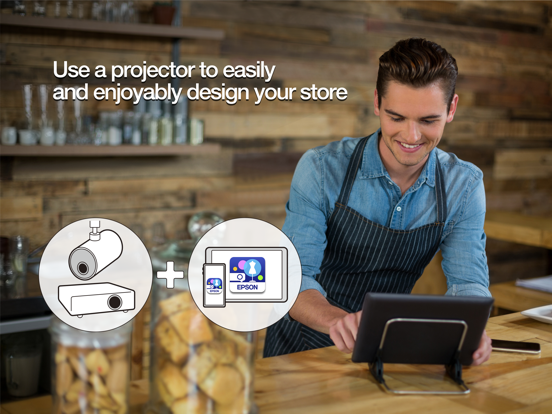
Use an Epson projector*1 and your custom content to bring spaces alive!
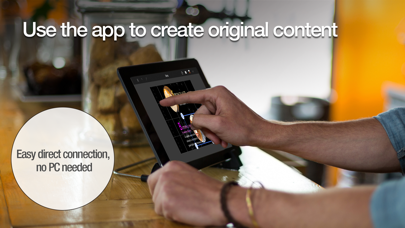
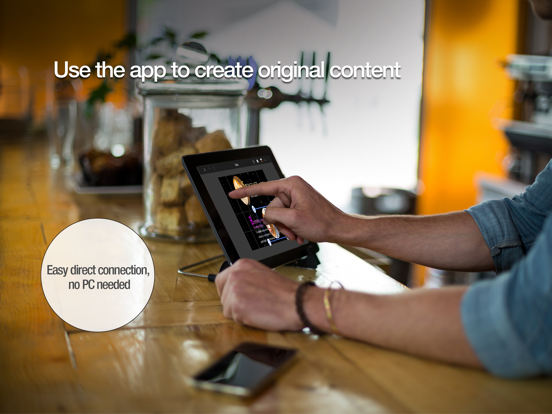
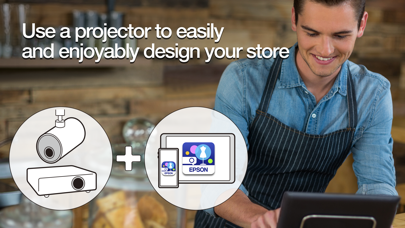
Epson Creative Projection is an app that allows you to enjoy creating custom content on an iPhone or iPad easily.
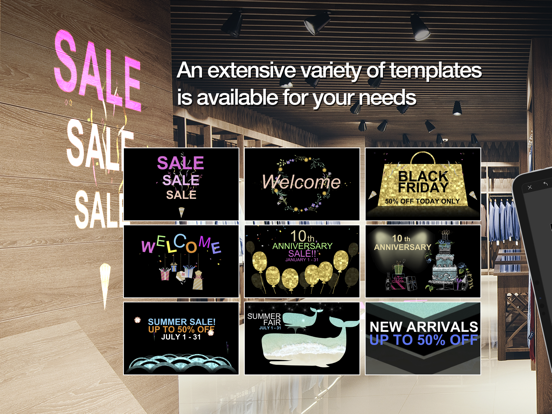
Decorate any room or space by combining your photos and movies with the app’s built-in templates and stamps.

With Epson Creative Projection, you can create original, dazzling content to enliven rooms, product displays, and spaces around you, anytime and anywhere.

Steps
•Set up your projector.
Insert a USB memory or SD card into the projector and connect the projector to a network.
•Preview content on the projector.
Connecting your iPhone or iPad and projector enables you to edit content on your iPhone or iPad while projecting a preview. You can easily connect your device by reading a QR code displayed on the projected image.
•Select a template and edit your content.
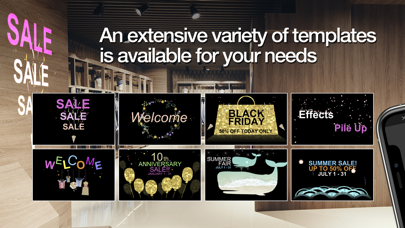
Select a built-in template that fits your vision of the content you want to create. You can customize your content by adding text, stamps, and effects.
•Save your content to your projector.
After you finish editing your content, save the file to the USB memory or SD card that you inserted in the projector. You can play the content that you save from the projector even if you do not have your device with you.

Main Features
•Stamp layout
Freely arrange and combine the materials provided in the app any way you like. Use seasonal materials to create new content for each season.
•Photo and movie capture
Load photos and movies from your iPhone or iPad for use in creating content.
•Visual effects
You can make snow or flower blossoms flutter down. You can even add a line anywhere you like and make them accumulate on the line.
•4-point free geometry correction
This feature allows you to adjust the 4 corners of stamps. It also allows you to correct distortions in images projected on two or more surfaces (planes).

Projectors that support the app:
Please go to https://support.epson.net/projector_appinfo/creative_projection/en/ to find the list of all supported projectors.


[App Permissions]
To use the app, the following permissions are required.
[Required] Local Network
For searching and connecting to the projector.
[Optional] Camera
Capture a connection QR code.
[Optional] Photo
Project selected photos from the device to the projector.

* Optional permissions can be declined, but some features may not work.

En voir plus...

Quoi de neuf dans la dernière version ?

Minor bug fixes
  • Screenshot #1 pour Epson Creative Projection
  • Screenshot #2 pour Epson Creative Projection
  • Screenshot #3 pour Epson Creative Projection
  • Screenshot #4 pour Epson Creative Projection
  • Screenshot #5 pour Epson Creative Projection
  • Screenshot #6 pour Epson Creative Projection

D'autres applications du développeur

Epson iPrintEpson iPrintiOS UniverselEpson Printer FinderEpson Printer FinderiOS UniverselEpson iProjectionEpson iProjectioniOS UniverselEpson Creative PrintEpson Creative PrintiOS UniverselEpson Label Editor LiteEpson Label Editor LitemacOSEpson TM UtilityEpson TM UtilityiOS UniverselVoir toutes les apps

Note

(1 notes)

Détails sur l'application

Version
1.0.7
Taille
92.5 Mo
Version minimum d'iOS
15.6
Dernière mise à jour
31/10/2025
Publié par
Seiko Epson Corporation

Newsletter App Store

Recevez chaque jour les meilleures promos

Actualité Apple

Image Adobe Premiere, After Effects et Audition ne vont plus supporter les Mac Intel
Adobe Premiere, After Effects et Audition ne vont plus supporter les Mac Intel
Image MacPaw et Liquid AI préparent une couche d’IA locale pour les applications Mac
MacPaw et Liquid AI préparent une couche d’IA locale pour les applications Mac
Image iMessage est disponible sur Android avec Sunbird
iMessage est disponible sur Android avec Sunbird
Image Apple Vision Pro : une étude confirme son intérêt en chirurgie avec des opérations 19 % plus rapides
Apple Vision Pro : une étude confirme son intérêt en chirurgie avec des opérations 19 % plus rapides
iPhoneAddict Apps

Le catalogue iPhoneAddict pour suivre les nouveautés, mises à jour et baisses de prix de l’App Store.

Apps

Toutes les apps iOS iPhone iPad Universelles Mac Apple TV

iPhoneAddict

Actualité Apple Archives keynotes Contact À propos KultureGeek

Suivez-nous

©2009-2026 i2CMedia. Tous droits réservés.