• KultureGeek
  • Comparateur de prix
       
iPhoneAddict
 iAddictv5Notre Application iPhone/iPad
  • Accueil Apps
  • Actualité Apple
  • Keynote Apple
  • Firmwares & iTunes
  • Contactez-nous
Accueil » Liste des Apps » Apps Universelles » Divertissement » CanDraw
L'application n'est plus disponible sur l'App Store français
1.0 iOS €Gratuit Iulai Baichurin 0 0 After opening the app, click on the second button from the right, and then click on the picture you want to copy. This picture will appear on the main screen. You can move the picture with your finger. The fourth button from the left rotates the...
CanDraw

CanDraw

iOS Universel / Divertissement

Gratuit au lieu de 0,99€
Obtenir sur l'App Store

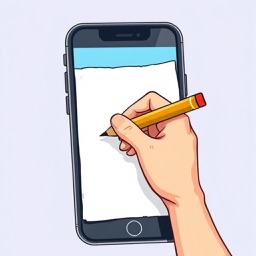
After opening the app, click on the second button from the right, and then click on the picture you want to copy. This picture will appear on the main screen.

You can move the picture with your finger.
The fourth button from the left rotates the picture by 90 degrees.
The fifth button from the left flips the picture horizontally.
You can change the size of the picture with the upper slider.

After you have prepared the picture, click on the third button from the left to hide the controls and block the ability to move the picture.

In the upper left corner of the screen, you can see a button. By tapping this button three times, you can unlock the ability to move the picture and return the controls to the screen. If this button bothers you while copying the picture, drag it to any place.

Now you can put thin translucent paper on the screen of your gadget and outline the contours of the picture.
If the picture is larger than the gadget screen, periodically unlock the screen, move the picture and lock the screen again as shown in the demo video.

If you click on the third button on the right, the photo library of your gadget will open, where you can select a photo or screenshot to copy.

If you are using a color picture or photo, you can turn off the color by clicking on the second button on the left.
Use the two lower sliders to set a comfortable contrast and brightness of the picture.

If you want to return all settings to their original state, click on the left button.

En voir plus...

Note

(0 note)

Détails sur l'application

Version
1.0
Taille
3.5 Mo
Version minimum d'iOS
15.6
Dernière mise à jour
20/12/2024
Publié par
Iulai Baichurin

Newsletter App Store

Recevez chaque jour les meilleures promos

Actualité Apple

Image Siri IA est toujours absent d’iOS 26.5 bêta : en route vers iOS 27
Siri IA est toujours absent d’iOS 26.5 bêta : en route vers iOS 27
Image RCS : Apple teste de nouveau le chiffrement entre iPhone et Android avec iOS 26.5 bêta
RCS : Apple teste de nouveau le chiffrement entre iPhone et Android avec iOS 26.5 bêta
Image Apple Intelligence disponible puis retiré en Chine après une erreur
Apple Intelligence disponible puis retiré en Chine après une erreur
Image Bêta 1 pour iOS 26.5, macOS 26.5, watchOS 26.5, tvOS 26.5 et visionOS 26.5
Bêta 1 pour iOS 26.5, macOS 26.5, watchOS 26.5, tvOS 26.5 et visionOS 26.5
Partenaires : Actualité iPhone - Culture Geek
©2009-2026 i2CMedia | A propos |