Forge Database Manager
iOS Universel / developpeurs
Stop paying for four tools. Forge opens SQL servers, cloud warehouses, NoSQL clusters, federated query engines, file dumps, and key/value stores in one native app — no Electron, no subscriptions.
Built with SwiftUI for iPhone, iPad, and Mac. One purchase, every Apple device.
NINETEEN DATABASE ENGINES
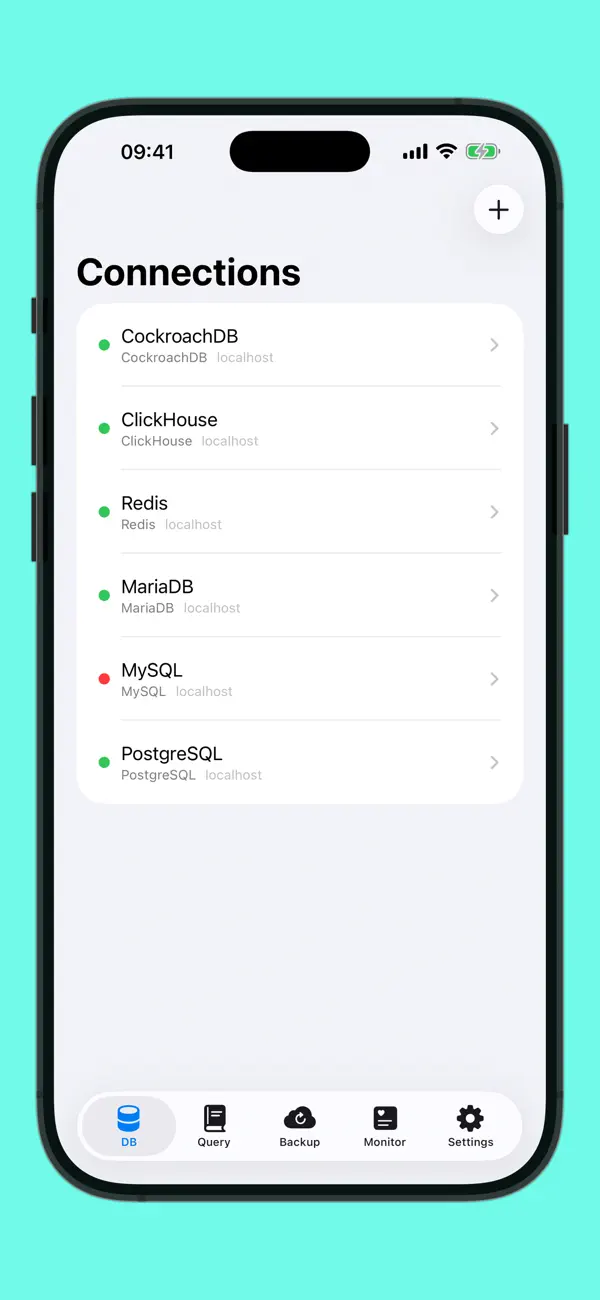
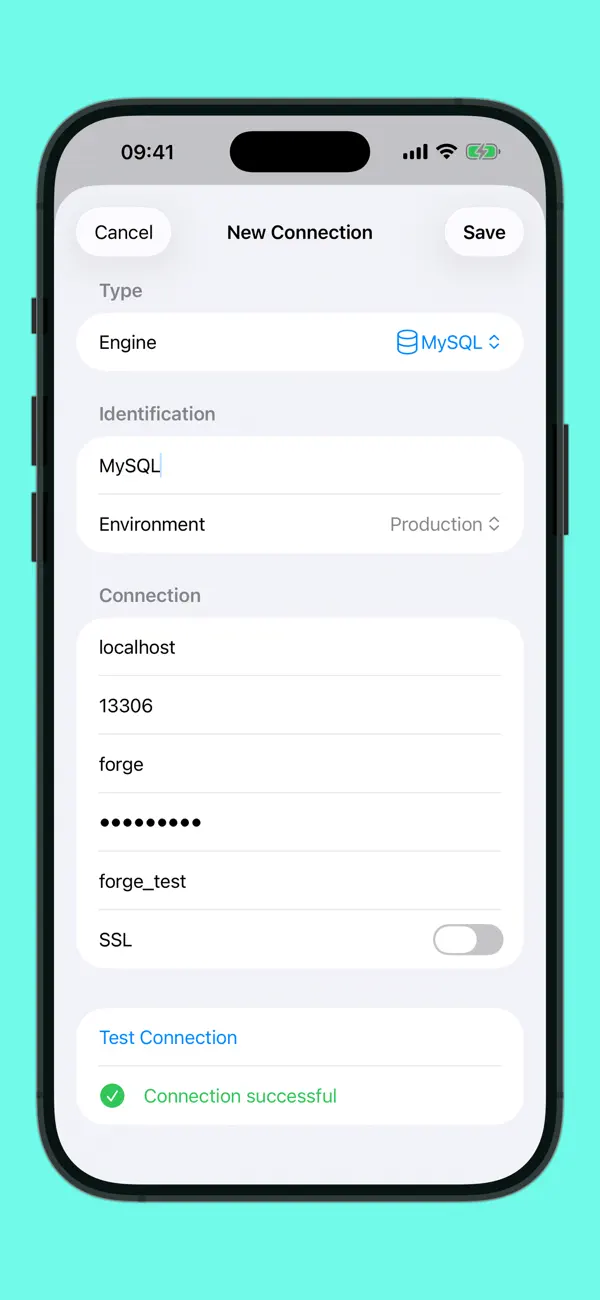
• PostgreSQL, MySQL, MariaDB — full read/write with inline cell editing
• CockroachDB, TimescaleDB, Amazon Redshift — wire-compatible, zero extra setup
• SQLite + libSQL — local files, full CRUD
• Microsoft SQL Server, Azure SQL — TDS protocol in pure Swift over NIO + NIOSSL
• Oracle — pure Swift NIO. No Instant Client, no SQL*Plus, no JDBC
• Snowflake — SQL API v2 with key-pair JWT auth. No drivers, no ODBC
• Google BigQuery — serverless cloud warehouse, service account JWT
• Trino / Presto — federated queries across Hive, MySQL, Postgres
• Turso — remote libSQL over Hrana HTTPS, bearer-token auth
• Apache Cassandra, ScyllaDB — CQL v4 over NIO
• DuckDB — embedded analytics. Query Parquet / CSV / JSON via SQL
• Redis — browse keys by type (string, hash, list, set, sorted set) like a table
• ClickHouse — analytics queries via native HTTP
• Elasticsearch — indexes browse like SQL tables
THREE FILE FORMATS AS DATABASES
• CSV — auto-detected separators, quoted fields, duplicate headers handled
• JSON, NDJSON, JSON Lines — arrays and streaming
• SQL Dump — open mysqldump or pg_dump files and browse without executing a statement
DRY RESTORE — UNIQUE TO FORGE
Inspect any SQL dump as if it were a live database. Memory-mapped lazy parsing with a cross-session cache. Browse a 400 MB backup in seconds. No risk, no server, no restore.
AI BRIDGE — UNIQUE TO FORGE
Run a local MCP server that exposes your databases as tools to Claude Desktop, Cursor, Continue, Cline, and any AI assistant. List tables, inspect schemas, run queries — in plain English, on every supported engine. Read-only by default. Credentials never leave your Mac.
UNIVERSAL BACKUP
Scheduled backups for every engine: SQL dump for SQL databases, JSON for Redis (types and TTL preserved). Cron expressions, retention, streaming gzip, "Backup Now" one-shot. Runs in the background on iPhone, iPad, and Mac.
EDIT IN PLACE
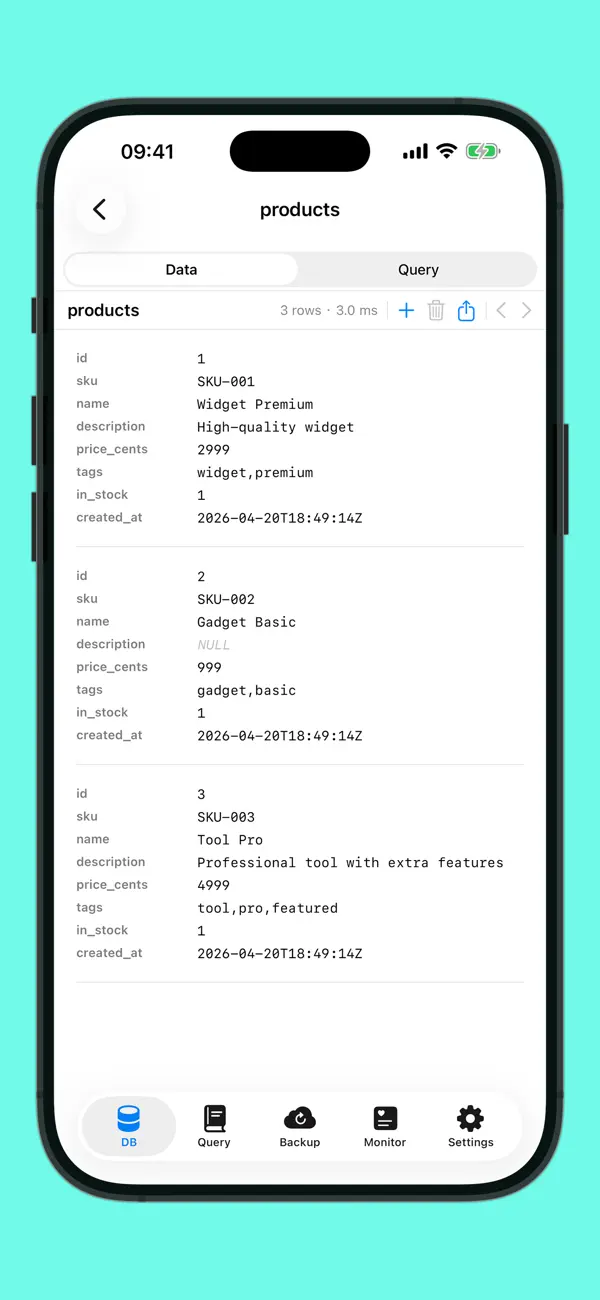
Double-click a cell to edit. Save many cells across rows in one transaction. Schema-aware INSERT and DELETE. Duplicate row with one click. Import CSV/JSON straight into a SQL table via a 4-step wizard. Every SQL engine, Oracle included.
SMART DATA GRID
Click headers to sort. Type to filter. Export results as CSV, JSON, or SQL INSERT. Right-click any cell to copy values or rows as JSON. Works on every engine.
TABLE INSPECTOR
A side pane shows the selected table's columns, types, primary key, foreign keys, and indexes — without leaving the data browser. Toggle on demand.
SCHEMA COMPARE
Diff tables and columns between two connections. Catch drift before it bites in production.
SSH TUNNEL
Reach databases behind a bastion host. Password or private-key auth (ed25519, RSA, with passphrase). Pure Swift, no openssh dependency. Works on iPhone, iPad, and Mac.
PORTABLE & SECURE
Export connections as a single encrypted bundle (ChaCha20-Poly1305 + PBKDF2-SHA256), import elsewhere with a passphrase. Drag a .sqlite/.csv/.json/.sql.gz file onto the sidebar to open it. Passwords in Apple Keychain. SSL/TLS for remote connections. No telemetry, no cloud dependency.
LIVE DATA WITH DIFF HIGHLIGHT
Toggle auto-refresh on any table to watch data change in real time. Forge re-runs your query every 5 seconds, 15 seconds, 30 seconds, 1 minute, or 5 minutes — new rows light up green, changed cells light up yellow. Pauses automatically when you're editing.
Twenty-two data sources. One app. Zero Electron.
Quoi de neuf dans la dernière version ?
Forge 1.3 adds two enterprise databases and three Apple-native power features.
MICROSOFT SQL SERVER (+ AZURE SQL)
Connect to any SQL Server 2008+ or Azure SQL instance — pure Swift TDS protocol over NIO, no driver to install, no ODBC. SQL auth, TLS handshake (including Azure-required encryption), full schema introspection of databases, tables, columns, primary keys, foreign keys, and indexes via sys catalogs. Run T-SQL queries with familiar SELECT/INSERT/UPDATE/DELETE.
SNOWFLAKE
Native Snowflake support via the SQL API v2 with key-pair authentication. Paste your RSA private key into the password field once and Forge mints a fresh JWT before every query — no passwords, no OAuth dance, no SnowSQL CLI. Browse databases, schemas, tables, columns, and primary keys with the same UI as every other engine.
LIVE DATA (auto-refresh)
A new toggle in the Data Browser toolbar re-runs your query at the interval you pick (5 seconds to 5 minutes). New rows fade in green, changed cells light up yellow. Pauses automatically when you're editing a row or when the previous fetch is still in flight.
SPOTLIGHT
Saved queries and connections are indexed in Spotlight. Tap a result anywhere on macOS or iOS to jump straight into Forge with context. Search by title, by SQL fragment, or by tag.
SHORTCUTS
Three new App Intents: list connections, test a connection (ping), and run a saved query against any connection. Build your own Shortcuts on macOS and iOS, trigger them from Siri, the Touch Bar, the menu bar, or the Shortcuts app.
QUALITY OF LIFE
Forge now supports 22 data sources — five more than Beekeeper Ultimate. The Microsoft SQL Server, Snowflake, DuckDB, Cassandra, and ScyllaDB additions span this and the 1.2 cycles.